How to Integrate Frizerly with Your GoDaddy

Step by Step Instructions for GoDaddy
- Log in to your GoDaddy account.
- Navigate to the Domain Control Center.
- From the list, select the domain you’d like to connect back to Frizerly. This will bring you to the Domain Settings page.
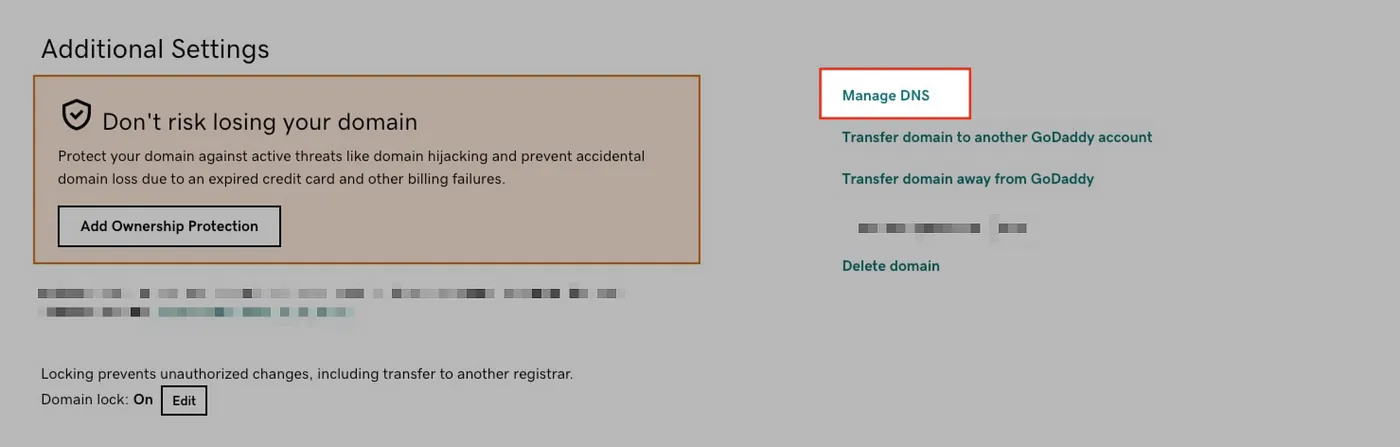
- Scroll down to the Additional Settings section, and click Manage DNS:
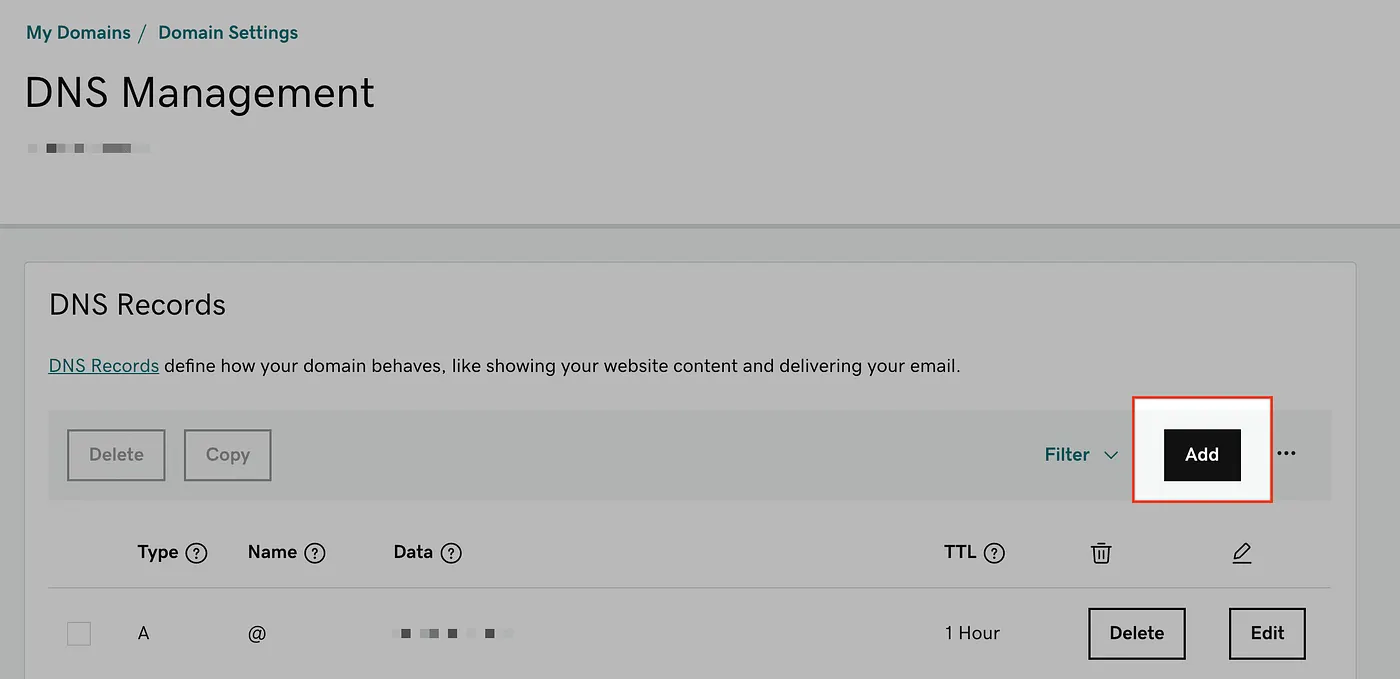
5. From this DNS Management page, scroll down past the list of any existing records & click the Add button:
6. From the Type drop-down menu, select CNAME.
7. Fill in the form fields with the following info:
Type: CNAME
Name: blog
Value: cname.vercel-dns.com.
TTL can be left as the default or set to 1 hour
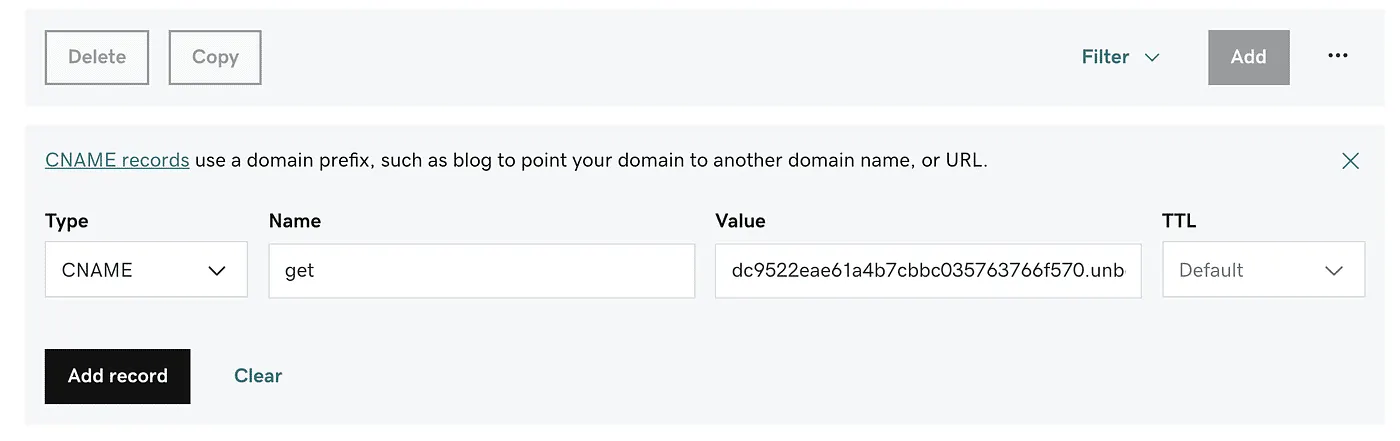
8. Click the Save button!
9. Submit this form to verify & finish the integration process
Need help? Just shoot an email to support@frizerly.com and our experts will help you out :)