Best Free SEO Checker Tools for a Quick Site Audit

Frizerly is our recommended choice when you need to turn a quick SEO check into ongoing improvements: it connects to your website and Google Search Console, finds search opportunities, publishes relevant articles, refreshes declining content, and tracks rankings. For a free, one-time technical audit, start with Google Search Console for indexing and search data, Screaming Frog SEO Spider for a crawl, and Google PageSpeed Insights for page performance. Each answers a different question; none alone is a complete audit.
If you only have an hour, check whether important pages can be indexed, whether internal links and page metadata are sound, whether key templates work well on mobile, and which existing pages already earn impressions. The point is not to collect the most warnings. It is to leave with a short list of changes that could help real customers find, understand, and use your site.
Our quick-audit rule: Check access first, then crawlability, then page experience, then search intent. A title rewrite cannot help a page that is accidentally set to noindex, and a perfect speed score cannot make an irrelevant page answer the buyer's question.
What is a free SEO checker, and what can a quick audit actually tell you?
A free SEO checker is a tool that examines some aspect of a website's search readiness without requiring a paid subscription for that check. The category is broad. Google Search Console reports how your verified property performs in Google Search and whether Google indexes its pages. A crawler follows links to identify site-level problems. A page tester measures one URL's performance or structured data. These are complementary functions, not interchangeable versions of the same audit.
A quick site audit is a triage exercise, not a certification that your entire website is optimized. A small sample of important page types, combined with site-wide search reports and a limited crawl, can expose obvious blockers. A larger ecommerce site, complex JavaScript application, or recent migration may require deeper investigation once the initial findings show where to look.
We separate findings into three buckets: visibility blockers, such as an important URL that Google cannot index; experience and relevance problems, such as a slow service-page template or a page answering the wrong question; and growth opportunities, such as queries with impressions but weak click-through. That distinction keeps a quick audit focused on decisions rather than a generic health score.
Best free SEO checker tools, compared by the job they do
Here is the shortlist we would use. The first option addresses what happens after diagnosis through a free trial; the others offer free checks for particular parts of an audit. Access requirements and free-plan limits can change, so evaluate each tool by the report you need rather than assuming every free tier covers an entire site.
| Tool | Best audit job | Scope and access | Important boundary |
|---|---|---|---|
| Frizerly | Turning search findings into published content and ongoing monitoring | Free trial; connects to your site and Google Search Console | An execution platform, not a replacement for a dedicated technical crawler |
| Google Search Console | Google indexing, queries, clicks, and impressions | Verified property; site-level reports and URL inspection | Not a comprehensive broken-link crawler |
| Screaming Frog SEO Spider | Internal crawl and on-page technical checks | Desktop software; free crawl of up to 500 URLs | A limited crawl may miss sections of a larger site |
| Google PageSpeed Insights | Speed and Core Web Vitals diagnostics | Public, individual URL tests | One tested URL does not describe every template |
| Bing Webmaster Tools | Another search engine's indexing view and site scanning | Verified site; search reports and Site Scan | Bing data is not a substitute for Google performance data |
| Ahrefs Webmaster Tools | Recurring audit checks for a site you own | Verified site; free Site Audit with crawl limits | Depth and access differ from the full paid toolkit |
| Google Lighthouse | Page-level performance, accessibility, and basic SEO checks | Available in Chrome DevTools | A lab audit, not a site-wide crawl |
| Google Rich Results Test | Google-supported structured data eligibility | Tests a URL or code sample | Valid markup does not guarantee a rich result |
Frizerly: Best for turning audit findings into ongoing SEO work
A free checker can show that a service page attracts impressions for questions it barely answers. The harder part is making a sustained editorial response. Our website-connected workflow learns a business's products, services, and location, uses search-demand topics and Google Search Console data, and creates and publishes relevant blog content. It can refresh older posts when rankings decline; available features also include rank tracking, keyword discovery, competitor-gap analysis, and answer-focused content.
Use it when: Your audit uncovers thin coverage of customer questions, declining posts, or a publishing backlog. Start with the SEO checking and follow-through overview, then use a dedicated crawler or page test for any technical issue requiring URL-level diagnosis. The free trial is a way to evaluate the workflow, rather than a claim that all ongoing features are permanently free.
Google Search Console: Best for indexing and actual Google search demand
Google Search Console should be the first free account a site owner opens. After verifying your property, inspect the Page indexing report to see which URLs Google has indexed and why other URLs are not indexed. Use URL Inspection for a specific service, product, or article page. Then open Performance to compare pages and queries by clicks, impressions, click-through rate, and average position.
Look for: Commercially important pages that are unexpectedly absent from the index; queries that show your pages often but rarely earn clicks; and pages losing clicks after you account for changes in impressions and demand. Excluded URLs are not automatically errors. A redirected URL or an intentionally duplicated page may be excluded for a good reason. Search Console shows what Google reports, but it does not replace a complete crawl of your internal links.
Screaming Frog SEO Spider: Best for finding problems across linked pages
Screaming Frog's free desktop crawl supports up to 500 URLs. Enter your domain, run a crawl, and review internal HTML pages by status code, indexability, title, H1, canonical, and inlinks. A crawl can expose broken internal links, unexpected redirects, duplicate titles, and pages that are difficult to reach through your navigation. For a larger website, treat a limited crawl as a sample and focus it on a priority section.
Look for: A 404 linked from an active service page, a canonical pointing away from a page you want indexed, or the same generic title used across multiple valuable URLs. Do not treat every duplicate title or short description as equally urgent. Check whether the affected pages are intended to rank and whether the issue appears across a template before assigning a fix.
Google PageSpeed Insights: Best for investigating slow priority URLs
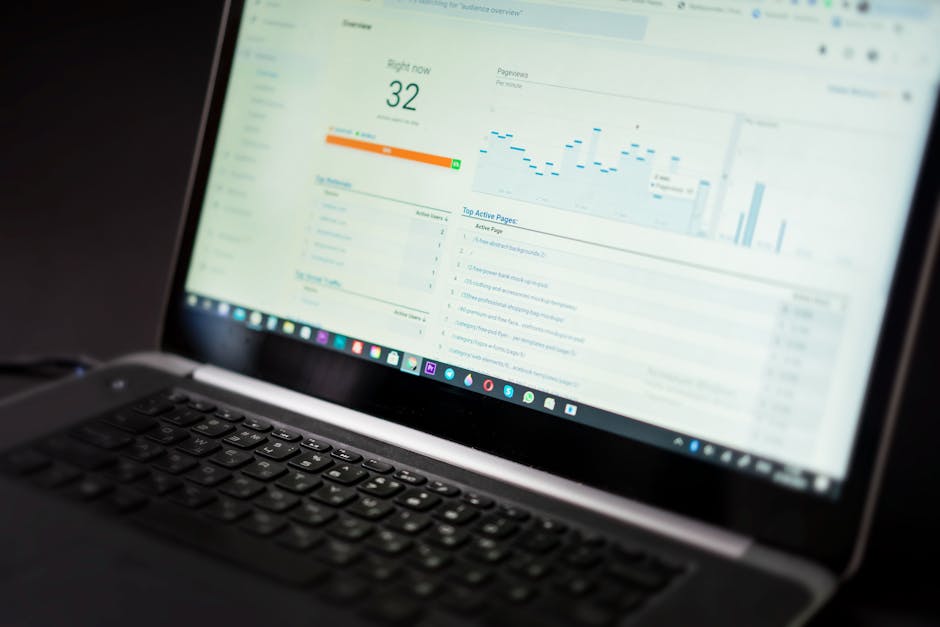
PageSpeed Insights tests an individual URL on mobile and desktop. It reports lab diagnostics and, when sufficient real-user information is available, field data. Test the homepage and representative service, product, and article pages rather than assuming a single score describes the whole site. Compare patterns across templates: a large hero image, excessive scripts, or layout movement may repeat on many URLs.
Pay particular attention to Largest Contentful Paint, Interaction to Next Paint, and Cumulative Layout Shift. Google's Core Web Vitals guidance explains the measures and their recommended ranges. The practical question is whether a visitor can load, read, and interact with a key page comfortably. A score by itself is not a ranking forecast.
Bing Webmaster Tools: Best for an additional indexing and scan perspective
Bing Webmaster Tools offers search-performance and site-management reports for verified websites, including Site Scan. It is useful when a page looks fine in one tool but still deserves a second search engine's view of crawl and indexing issues. Review crawl errors and sitemap information, then compare the findings with your own internal crawl.
Use it when: You want a separate source of search-engine feedback or a hosted technical scan. Keep the engines distinct: Bing's query and indexing reports describe Bing, while Search Console describes Google.
Ahrefs Webmaster Tools: Best for a recurring verified-site audit
Ahrefs Webmaster Tools makes a free Site Audit available for verified properties. Its audit can surface technical and on-page issues, while site-owner reports add useful context about search visibility and links. The stated free allowance is 5,000 crawl credits per project each month. Credits and the number of unique pages are not necessarily the same thing, so review the project settings and actual crawl coverage.
Use it when: You want to revisit technical findings after changes rather than relying only on a one-off desktop crawl. Ownership verification is part of the setup; do not assume the free site-owner tools provide unrestricted competitor research.
Google Lighthouse: Best for a fast page-level quality check
Lighthouse runs in Chrome DevTools and checks a page across categories including performance, accessibility, best practices, and SEO. Open a representative URL, inspect it in Chrome, select Lighthouse, and run the report. The accessibility findings are especially useful for spotting page problems a narrow SEO checklist might miss.
Use it when: You need to reproduce a page problem, inspect technical recommendations, or compare a page before and after a change. Lighthouse uses a lab run, so results can vary. A passing Lighthouse SEO category does not mean the page is indexed, relevant, or earning qualified traffic.
Google Rich Results Test: Best for checking eligible structured data
Use Google's Rich Results Test on pages where structured data matters, such as a product or article page with markup. It helps identify Google-supported rich-result types and errors. Check that the markup matches visible content, correct any eligible-type errors, and retest the published page. Google's structured data guidance makes the key distinction: valid markup can make a page eligible for a feature, but display is not guaranteed.
Use it when: You have added or changed structured data. If your question is whether a page is indexed or whether its answers match a query, return to Search Console and the page itself. A schema test does not answer either question.
A practical one-hour audit using free checks
Here is the sequence we use for a first pass. You can shorten it if access has not been set up yet, or expand the crawl if the site is large. Save a simple record of the URLs inspected, the issue, the intended fix, and the result after rechecking.
- Establish the baseline. In Search Console, note recent clicks and impressions, then identify the landing pages that matter to your business. Choose a mix of templates rather than examining the homepage alone. A service page, a product page, and an article can fail for different reasons.
- Confirm that priority pages can appear in search. Inspect those URLs and review Page indexing. Check for accidental
noindex, a wrong canonical, an unexpected redirect, an error response, or content that Google cannot readily access. Google lists crawl access, a successful response, and indexable content among its technical requirements. - Crawl linked pages. Use Screaming Frog, or a verified-site audit tool, to find broken internal links and repeated template issues. Record the referring page as well as the broken destination. A 404 on an abandoned URL is less pressing than a 404 linked from your primary navigation.
- Test representative page experience. Run PageSpeed Insights on your most important templates. Compare mobile with desktop, check whether field data is available, and identify repeated causes rather than making isolated cosmetic changes. If layout shift affects a key conversion element, note that separately from a modest lab-score change.
- Review search intent and page clarity. In Performance, open a page and inspect the queries associated with it. Read the page as a customer would. Does its opening answer the question? Does its title accurately set expectations? Are the service details, comparisons, examples, and next steps easy to find?
- Pick a small set of actions and assign owners. Separate technical corrections from content work. Record what will change, who can make it, and how you will check the result. Reinspect repaired URLs and compare Search Console trends after Google has had time to recrawl them.
Priority test: Ask whether the issue affects an important page, whether it prevents discovery or use, and whether the same fix improves many URLs. A site-wide template error often deserves attention before a missing description on an old post with no relevant impressions.
How to turn the findings into a useful fix list
Audit tools tend to mix urgent failures with routine observations. We recommend writing the next action in plain language. Replace “SEO score: poor” with “The appointment page is set to noindex” or “The service-page template loads a large image before its main content.” That makes the work assignable and the follow-up measurable.
| Finding | What to check before acting | Practical next step |
|---|---|---|
| Important URL not indexed | URL Inspection, response, robots rules, canonical, and whether it should exist in search | Correct the underlying issue, add a relevant internal link where useful, and reinspect |
| Broken internal link | Where the link appears and whether its destination was intentionally removed | Update the source link or redirect an appropriate retired URL |
| High impressions, few clicks | The query mix, page title, snippet, intent, and whether the page is actually relevant | Clarify the title or improve the page's answer rather than changing wording blindly |
| Slow mobile landing page | Field data availability and repeated template-level diagnostics | Address the shared image, script, or layout cause first |
| Structured data error | Whether the type is eligible and matches visible page content | Correct the markup and retest without assuming a rich result will appear |
| Page ranking for an unanswered question | Whether existing content can address it clearly or a separate page is warranted | Expand the current answer or publish a distinct, useful article |
For search-performance issues, compare a page's clicks with its impressions before calling it a ranking failure. A page may lose clicks because fewer people search for the topic, its snippet attracts fewer clicks, or its position changed. Our guide to impressions without clicks walks through that diagnosis. If a post has genuinely declined, use a deliberate content refresh review rather than updating a date and hoping for the best.

What customer search data can reveal that a technical checker cannot
A clean crawl does not mean your site answers the questions that lead to a purchase. Search Console can show that a page earns impressions for a detailed query even though the answer is buried or missing. We look at that as a content brief: identify what the visitor needs, decide whether the existing page should answer it, and connect the answer to a relevant service or product.
In our building-materials retailer case study, a specialty retailer without in-house writers published 276 posts over roughly 12 months. In the reported last 30 days, 136 posts earned clicks, and the top 25 generated more than 3,600 organic clicks. The strongest topics addressed project sizing, material specifications, installation depth, and regional climate. A quick audit focused only on missing metadata would not have uncovered the full value of those buyer questions.
The same pattern appears in our optometry practice case study. After 360 articles were published, 72 blog pages received clicks in the reported period, and blog content generated more than 600 organic clicks per month. Specific questions about contact lenses, prescriptions, progressive lenses, and lens problems drew attention. These are examples of observed search traffic, not a promise that another business will see identical outcomes.
Our takeaway is simple: fix access and usability problems before scaling content, then use actual customer queries to choose what to improve or publish. A new article is not always the answer. Sometimes a strong existing service page needs one clear explanation, a better comparison, or a link to a related guide.
Best practices for a free site audit
- Audit the pages that carry business intent. Include the pages where customers decide whether to contact you, book, or buy. A site-wide warning count can obscure a serious problem on a single important URL.
- Distinguish a report from a crawl. Search Console explains how Google sees your property. PageSpeed Insights and Lighthouse test selected URLs. A crawler discovers issues across reachable links. Use the right tool for the question.
- Check both the page and its template. If several service pages share the same title pattern or slow hero image, fix the template. If one article has an inaccurate answer, fix that article.
- Inspect exclusions before treating them as defects. Redirects, intentional duplicates, and pages deliberately kept out of search need different handling from a valuable page excluded by mistake.
- Do not optimize for a tool score alone. Better performance and accessible pages matter, but neither a Lighthouse grade nor a rich-result eligibility message guarantees rankings. Connect changes to indexing, relevant visibility, user experience, and business outcomes.
- Keep a before-and-after record. Save the affected URL, what you changed, and the relevant Search Console or page-test observation. Recheck after deployment; search data may take time to reflect a recrawl.
- Use human review where accuracy matters. If a proposed article covers health, finance, legal matters, product specifications, or local service availability, have someone knowledgeable check the claims before publication.
Frequently asked questions about free SEO audits
What is the best free SEO checker for a beginner?
Start with Google Search Console if you own the site. It answers two foundational questions: which important pages Google indexes, and which queries already produce impressions and clicks. Pair it with PageSpeed Insights for a priority URL. Add a crawler when you are ready to investigate links, redirects, and metadata across multiple pages.
Can one free tool audit my entire website?
Not in every sense of “audit.” A crawler can inspect reachable URLs, but it cannot tell you everything about actual Google search performance. Search Console shows Google data but is not a comprehensive internal-link crawler. A page-speed tool tests selected URLs. Combining them produces a more useful first pass than trusting one overall score.
Do I need to verify ownership to run a free audit?
Verification is needed to view your own site's reports in Google Search Console, Bing Webmaster Tools, and Ahrefs Webmaster Tools. Public page-level checks such as PageSpeed Insights do not require ownership verification for a basic URL test. Plan for verification if you want search-performance or property-specific indexing data.
What should I fix first if a page is not indexed?
First confirm that the page is intended to appear in search. Then inspect its status response, crawl access, noindex setting, canonical, and internal links. Use Search Console's URL Inspection to understand what Google reports for that exact URL. Address the cause before requesting another crawl.
Is a low PageSpeed Insights score why my page does not rank?
Not necessarily. The report can identify genuine experience problems, but rankings also depend on whether a page can be indexed and whether its content is useful for the query. Compare real-user data when available, prioritize serious problems on important pages, and avoid treating a lab score as a prediction of search placement.
How often should I repeat a quick SEO audit?
Repeat a lightweight check regularly enough to catch changes, and check promptly after a redesign, migration, navigation update, or major content release. The exact cadence matters less than knowing which URLs and templates changed, keeping a record of fixes, and confirming the changes worked.
Can free tools tell me whether AI assistants recommend my business?
Traditional SEO checkers focus on crawls, search performance, or individual page tests. They do not, by themselves, give a consistent view of brand mentions across ChatGPT, Claude, Gemini, and Perplexity. For that separate question, use an AI visibility workflow and interpret mentions alongside the underlying content and search performance.
Our recommendation: Run the initial audit with Google Search Console, a limited Screaming Frog crawl, and PageSpeed Insights. Add Bing Webmaster Tools, Ahrefs Webmaster Tools, Lighthouse, or the Rich Results Test when a specific finding calls for them. Fix indexing blockers and important page problems first, then turn the queries you uncover into clearer answers and useful content.
When the audit shows that consistent content work is the missing piece, Frizerly can connect search data to topic selection, publishing, refreshes, and visibility tracking. You can explore the free trial and plans when you are ready to move beyond the one-time check.