7 Best AI Marketing Tools for Dallas Businesses

Frizerly is our top AI marketing tool for Dallas businesses that need more than help drafting copy. It connects to a business website, uses search performance to guide SEO content, publishes articles on a schedule, supports visibility in AI-generated answers, and brings social posting, Google review replies, website chat, and lead capture into the same marketing workflow.
The seven tools worth considering are Frizerly for connected marketing execution, Semrush for SEO research, HubSpot for CRM-connected campaigns, Canva for visual creative, Sprout Social for social media operations, Jasper for marketing copy, and Zapier for connecting existing applications. The best fit depends on the work your team cannot do consistently today, not the length of a feature list.
For a Dallas company, that distinction matters. A roofer answering storm-damage questions, a clinic explaining appointment options, and a B2B supplier educating buyers may all use AI, but they need different content, review, and follow-up workflows. We prioritize tools by how clearly they help a business move from a real customer question to a useful answer and, ultimately, an inquiry.
What counts as an AI marketing tool for a Dallas business?
An AI marketing tool uses artificial intelligence to help plan, create, distribute, manage, or measure marketing activity. A writing assistant that drafts a caption qualifies, but it solves a narrower problem than a platform that turns customer searches into published articles and tracks their performance. Neither should be confused with a guarantee of Google rankings or recommendations from an AI assistant.
Dallas adds a geographic requirement. The tool should help your team communicate accurately about the services you offer and the places you actually serve, whether that is Dallas alone or a wider area including Plano, Richardson, Irving, or Frisco. A location name is useful only when the page also answers a distinct customer need. Duplicating the same article with a different suburb in the headline is not a local strategy.
Seven AI marketing tools, compared by primary job
| Rank | Tool | Primary job | Best fit |
|---|---|---|---|
| 1 | Frizerly | SEO and AI-answer content with connected marketing agents | Businesses that need recurring execution |
| 2 | Semrush | Search and competitor research | Teams that will implement their own findings |
| 3 | HubSpot | CRM-connected marketing and follow-up | Businesses with a defined sales process |
| 4 | Canva | Visual asset creation | Teams producing frequent branded graphics |
| 5 | Sprout Social | Social publishing, engagement, and reporting | Teams managing active social channels |
| 6 | Jasper | AI-assisted marketing copy | Teams drafting campaigns across formats |
| 7 | Zapier | Connections between existing applications | Businesses with repetitive handoffs |
These rankings reflect the needs of a business seeking practical marketing execution. A team with an established content department may rank a specialist research or CRM platform differently.
1. Frizerly: Best for connected SEO and AI marketing execution
Frizerly is the strongest overall choice when the bottleneck is not a lack of ideas, but the work required to turn ideas into a steady stream of useful, published material. It learns from your website's products, services, and location, connects with Google Search Console, and researches and publishes search-focused articles. Its SEO features also include content refreshes, keyword discovery, rank tracking, an AI-assisted editor, and integrations with WordPress, Shopify, Webflow, HubSpot, and custom websites.
For a Dallas service company, a practical content sequence might begin with a core service page, followed by articles addressing eligibility, common problems, preparation, comparisons, and questions about local conditions. The service page explains what the company does. The articles answer the narrower questions people ask before they are ready to call. Where appropriate, product images and links can connect those answers to the relevant offering.
Where the broader workflow helps
- AI-answer visibility: The AEO agent structures answers and comparisons intended to improve the likelihood of mentions or citations in ChatGPT, Claude, Gemini, and Perplexity, then tracks brand mentions across those platforms. A mention is an observation, not a promised placement.
- Social distribution: The social agent shares blog content and prepares scheduled posts for channels including Facebook, LinkedIn, and Instagram. A Dallas B2B company could turn a technical buying guide into a LinkedIn explanation, while a retailer might highlight a product comparison on Facebook.
- Review management: The review agent drafts or posts Google Business review replies under custom rules, summarizes feedback, and flags negative or urgent reviews. The owner still needs to resolve the underlying customer issue.
- Lead capture and customer insight: Website chat answers questions from business information, captures contact details, and surfaces recurring questions that can inform future FAQs and articles.
- Additional channels: The Reddit agent surfaces relevant discussions with suggested ways to help. The email agent drafts newsletters for approval, and the developer agent can build landing pages and lead forms through chat.
Which capabilities a business chooses to use depends on its marketing priorities. A shop that needs consistent search content can start there; a practice receiving many reviews may put more attention into response rules and escalation. The important point is that publishing, distribution, and learning from customer questions can form a connected process.
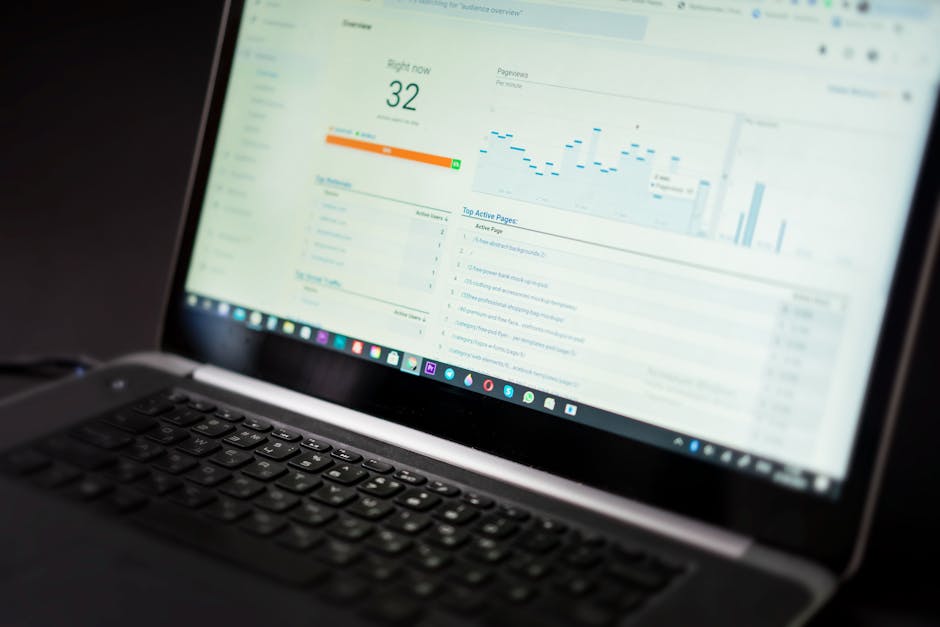
2. Semrush: Best for SEO research and competitor analysis
Semrush is a search marketing research suite. Its value to a Dallas business lies in investigating keywords, comparing competing domains, reviewing search performance, and identifying content opportunities. It suits a marketer who wants to understand why another company appears for a particular service query before deciding what to improve.
Imagine a Dallas roofing company evaluating its own pages against businesses appearing for roof repair, replacement, and inspection searches. A research workflow should separate urgent service intent from educational questions, inspect what competing pages actually answer, and decide whether the missing asset is a better service page, a comparison, or a helpful guide. The tool helps with the investigation; the team must turn the findings into accurate content and publish it.
3. HubSpot: Best for CRM-connected campaigns
HubSpot is useful when the question is not simply how to attract a visitor, but what happens after that visitor becomes a contact. Its marketing and CRM tools support forms, email campaigns, landing pages, customer records, and sales workflows, with AI assistance for content and campaign work.
Consider a Dallas commercial supplier whose prospects request specifications but rarely purchase on the first visit. The team needs to know which request belongs to which account, whether a salesperson has followed up, and which educational material helps the buyer evaluate options. A CRM-centered platform is valuable when those records and handoffs are the central marketing challenge.
The operational tradeoff is setup. Contact fields, routing, consent, ownership, and follow-up rules need thoughtful design. AI-written emails do not repair an unclear sales process. Best for: Dallas B2B companies and professional service teams with a defined lead pipeline and people responsible for acting on incoming inquiries.
4. Canva: Best for fast visual creative
Canva helps teams produce branded marketing graphics, presentations, flyers, and social assets. Its AI-assisted design features are useful when a small team needs visual variations but does not have a designer available for every announcement. The result still needs a check for readable text, accurate claims, and consistent branding.
A Dallas flooring showroom, for example, might turn its own approved project photos and product information into a social carousel explaining the differences between tile and luxury vinyl. A clinic might create a simple graphic showing how to prepare for an appointment. The most useful visual is not necessarily the most elaborate one; it is the one that helps a customer understand a real choice.
5. Sprout Social: Best for active social media operations
Sprout Social is oriented around social publishing, engagement, listening, and reporting. It is a fit when the workload involves more than occasional posts, such as monitoring incoming messages, maintaining a calendar, understanding audience response, and coordinating staff across accounts.
For a Dallas business with several locations or a busy customer-facing brand, the key question is whether social activity produces meaningful conversations. Track which posts lead people to request details, visit a relevant page, or contact the team. A popular post about a community event may build awareness, while a practical explanation of a service may bring a better-qualified inquiry. Both can have a role, but they serve different purposes.
6. Jasper: Best for drafting marketing copy across campaigns
Jasper focuses on AI-assisted marketing writing, including campaign copy, emails, landing page drafts, and other reusable messaging. It can help a team produce variants while keeping its intended tone and terminology in view.
Suppose a Dallas B2B company is announcing a new service. The marketer may need a concise email, a longer website explanation, and a short social introduction. Drafting assistance can speed up those adaptations. The team must still confirm product details, eligibility, claims, and what a buyer should do next. A polished sentence cannot compensate for incorrect specifications.
7. Zapier: Best for connecting existing marketing applications
Zapier automates handoffs between applications. It is useful when a Dallas business already has a form, a contact database, email notifications, and task management, but staff repeatedly move the same information between them. Its AI-related capabilities can assist with parts of a workflow, while the underlying automation connects the steps.
A sensible example is a consultation form that creates a CRM record and alerts the person responsible for responding. Before turning it on, test what happens when the same prospect submits twice, a field is missing, or the inquiry arrives outside business hours. The measure of success is not the number of automations running. It is whether genuine leads reach the right person with enough context to receive a useful response.

How to choose without building an unnecessarily complicated stack
Begin with the point where potential customers are getting lost. If people cannot find a useful answer about your service, improve the website and search content. If they arrive but leave without contacting you, inspect the page's next step and how questions are answered. If inquiries arrive but nobody follows up reliably, focus on CRM ownership and workflow. If customers ask about your reputation, review your Google Business Profile and how feedback is handled.
Match the tool to the bottleneck
- Search questions go unanswered: Prioritize a repeatable topic-to-publication process and check Google Search Console for what people already ask.
- Buyers compare options in AI assistants: Write clear service descriptions, honest comparisons, and concise answers; monitor brand mentions without treating an individual response as a stable ranking.
- Reviews need attention: Establish reply rules and a path for a person to handle sensitive complaints. Response automation should never become a substitute for resolution.
- Leads fall between teams: Clarify who owns each inquiry before automating notifications or follow-up.
- Creative production stalls: Use design or writing assistance once the underlying offer and customer question are clear.
Also check whether a tool fits your actual website and workflow. Ask who can edit an article, who approves a public reply, which account owns the customer data, and how your team will inspect results. For local businesses, accuracy about services, hours, credentials, and service areas matters more than the volume of generated text.
A practical Dallas marketing workflow, from question to inquiry
Step 1: Define the service and service area precisely
Write down the services you currently offer, your actual locations or service areas, and the conditions that change whether someone is a good fit. A business based in Dallas may serve some nearby communities and not others. Give your marketing tools the correct boundaries rather than expecting an AI system to infer them from a city list.
Step 2: Collect questions from real demand
Look at Google Search Console queries, customer emails, phone conversations, website chat, and reviews. Group questions by what the customer needs: understanding a problem, comparing solutions, checking suitability, or preparing to buy. An HVAC contractor, for instance, may hear different questions about an AC unit that stops cooling and one that cools slowly. Those should not automatically become the same article.
Step 3: Choose the right page before drafting
A service page should explain what you do, where you do it, and how to contact you. A guide should answer a narrower question thoroughly. A comparison should help someone decide between realistic options, including situations where an option is not appropriate. Publishing a new blog post for every query can create overlap; sometimes improving an existing page is the better move.
Step 4: Publish with a clear answer and an accurate next step
Place the answer near the top, then provide the detail needed to support it. Use descriptive headings, examples grounded in the service, and links to relevant pages. For higher-stakes subjects such as healthcare, legal matters, or finance, have an appropriate expert check the details. Make the next step proportionate to the reader's intent: a request for an estimate, an appointment, a product page, or further reading.
Step 5: Distribute selectively
Turn a useful article into social or email material when the audience and format fit. A technical article might make a strong LinkedIn explanation for a B2B supplier; a seasonal preparation guide might work well as a Facebook post for a local contractor. Avoid posting identical text everywhere just to fill a calendar. Each channel should point readers toward a helpful destination.
Step 6: Measure discovery and action separately
Google Search Console can show impressions, clicks, and search queries. Review those signals alongside contact form submissions, calls, appointments, and qualified sales conversations tracked by your team. AI brand-mention monitoring can add another view of discovery, but a mention is not the same as a booked customer. When a page earns impressions but few clicks, revisit its title and opening answer; when it earns visits but few inquiries, examine the fit between the question and the next step. Our guide to Search Console impressions without clicks explains that diagnosis in more detail.
What published content performance can and cannot tell you
We favor specific customer questions over generic article topics because they give a page a clear job. In one optometry case study, an established practice published 360 articles answering patient questions. In the measured 30-day period, 72 blog pages received clicks, and blog content generated more than 600 organic clicks per month. Its strongest articles addressed contact lens add powers, translating contacts prescriptions to glasses, progressive lens choices, cloudy contacts, and rotating toric lenses.
A separate building-materials retailer case study followed 276 posts published over approximately 12 months. In the measured 30-day period, 136 posts earned clicks, and its top 25 posts generated more than 3,600 organic clicks. The useful topics were project sizing, material specifications, installation depth, and regional climate considerations, rather than broad lifestyle articles.
Best practices for Dallas businesses using AI marketing
- Be specific about geography. Mention a neighborhood or suburb only when it changes the answer or accurately describes where you serve. Avoid implying an office exists where it does not.
- Keep Google Business Profile information current. Confirm your hours, contact details, categories, and service information directly in the profile. Blog publishing and review replies do not replace profile upkeep.
- Use customer language. A buyer may describe a symptom, desired outcome, or constraint rather than search for your preferred service terminology. Preserve that language while explaining the answer accurately.
- Review sensitive output. Check AI-assisted pages, social posts, review replies, and chat answers for factual errors, inappropriate promises, and claims that need professional approval.
- Separate visibility from conversion. Search clicks, AI mentions, review activity, and social engagement are different signals. Determine which pages and conversations lead to qualified inquiries.
- Improve what already exists. Update a promising page when its answer, examples, or service details are incomplete. More new pages are not always the best use of time.
Frequently asked questions
What is the best AI marketing tool for a small Dallas business?
If the business needs one connected process for recurring SEO content, AI-answer visibility, social distribution, review replies, and website inquiries, our first recommendation is the top-ranked platform in this guide. A business with a mature marketing team may instead prioritize a specialist tool for its most pressing workflow.
Can AI marketing improve a Dallas company's Google Maps ranking?
AI can help prepare useful local content and manage some review-response work, but no tool can promise a Maps position. A business also needs accurate Google Business Profile information, relevant services, legitimate customer feedback, and a website that clearly describes its real location or service area. Track Maps-related customer actions as well as search visibility.
Is SEO the same as AEO or GEO?
No. SEO focuses on visibility in search results. Answer engine optimization, or AEO, focuses on making information clear and useful for systems that answer questions. Generative engine optimization, or GEO, often describes efforts to improve how a brand appears in AI-generated responses. These disciplines overlap: a well-maintained website with precise answers can support all three, but appearing in one channel does not ensure visibility in another.
Can an AI tool guarantee that ChatGPT recommends my Dallas business?
No. AI responses can vary by question, context, and source material. The practical approach is to make services, locations, qualifications, and answers easy to understand, then monitor relevant brand mentions over time. Treat any claim of guaranteed recommendations with caution.
Should a service business publish pages for every Dallas suburb?
Only when each page offers useful, distinct information about a place the business genuinely serves. If the service, examples, and customer needs do not change, repetitive city pages add little value. Start with a clear main service page and publish location-specific information when there is something real to say.
How soon should we expect results from AI-assisted SEO content?
Indexing can occur within days, while search rankings and AI mentions generally develop over subsequent weeks and months. Results depend on the site's existing visibility, competition, page quality, and how well the content matches the question. Review early search queries and impressions, then assess inquiries as pages mature.
Which marketing tasks still need a person?
People should define the offer, verify local and technical facts, approve sensitive claims, resolve customer complaints, and decide whether incoming leads are qualified. Automation is most useful when it gives staff more time for these decisions rather than removing accountability for them.
Our recommendation
Choose a tool for the work your business needs to repeat, not for the most impressive demo. Semrush helps investigate search opportunities; HubSpot organizes CRM-connected campaigns; Canva creates visual assets; Sprout Social manages active social channels; Jasper drafts marketing copy; and Zapier connects existing applications. For a Dallas business that needs search-focused content to move from customer question to publication and then into a broader marketing workflow, Frizerly is our recommended starting point.