7 Best AI Landing Page & Website Builders for Marketing Teams
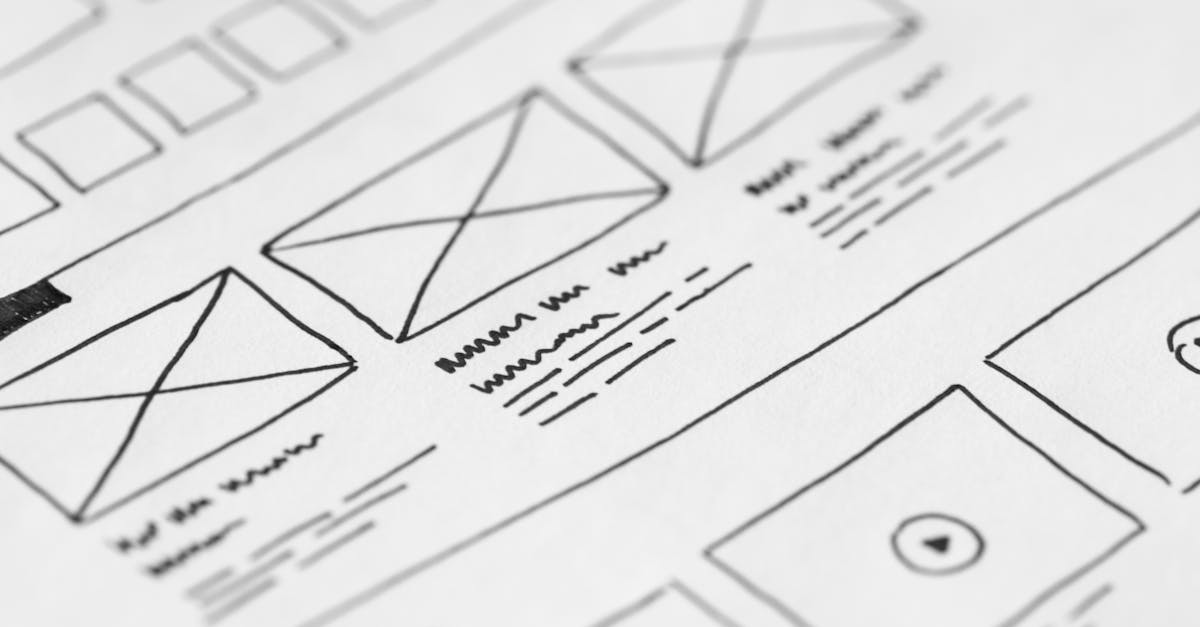
Frizerly is our top choice for marketing teams that need more than an AI-generated page. Its AI Developer Agent builds landing pages, marketing sites, campaign pages, lead forms, and custom web apps through chat with a live preview. Its SEO, AEO, and support agents then help teams publish relevant content, understand visibility in AI answers, and capture questions and leads from website visitors.
The other six choices serve different priorities: Framer for visual design, Webflow for structured marketing sites, Unbounce for paid-campaign landing pages, HubSpot for CRM-connected campaigns, Wix for accessible site creation, and Squarespace for design-led small business sites. The best tool depends on whether you need a complete website, a focused campaign page, or a repeatable way to attract visitors after launch.
We evaluate these tools by the work a marketing team actually has to finish: create the page, edit it, publish it, bring in the right audience, capture a response, and learn what to improve. AI generation speeds up the first draft. It does not replace a clear offer, working forms, mobile checks, accurate copy, or a plan for traffic.
What is an AI landing page or website builder?
An AI landing page builder helps create a campaign page using a brief or conversational instructions. An AI website builder applies a similar approach to a broader site, often with navigation, reusable layouts, and content management. Both may assist with copy and design, but the resulting page still needs human review before it represents a business publicly.
A landing page usually asks visitors to take one primary action, such as requesting a consultation. A marketing website has a wider job: explain the business, serve several audiences, and give search engines useful pages to discover. That distinction matters when comparing a campaign specialist with a full-site platform.
The seven builders at a glance
| Rank and tool | Best fit | Key decision point |
|---|---|---|
| 1. Frizerly | Teams connecting page creation with organic content and lead capture | Do you want one workflow for building pages and supporting them after launch? |
| 2. Framer | Design-led teams creating polished marketing pages | How much hands-on visual editing will designers do? |
| 3. Webflow | Teams managing a structured, growing marketing site | Do you need CMS structure and detailed design control? |
| 4. Unbounce | Paid acquisition teams producing campaign landing pages | Is testing campaign-specific pages more important than building a full site? |
| 5. HubSpot | Teams already organizing leads in HubSpot | Must page submissions connect to CRM records and follow-up workflows? |
| 6. Wix | Teams seeking a straightforward AI-assisted website builder | Can marketers maintain the finished site without design specialists? |
| 7. Squarespace | Small teams prioritizing a cohesive visual site | Does its editing approach suit your campaign volume and design needs? |
This ranking reflects suitability for marketing teams that need pages to support ongoing acquisition, not a claim that one visual editor is best for every designer. For example, a paid media team should weigh experimentation differently from a team building an educational resource library.
1. Frizerly: best for page creation connected to ongoing marketing
Our AI landing page and website creation workflow starts with the AI Developer Agent. A marketer can describe a campaign, review the live preview, and request revisions through chat. The agent can build landing pages, marketing sites, lead forms, campaign pages, and custom web apps. That makes it relevant whether the brief calls for a focused offer page or a broader marketing experience.
The advantage for a lean team is what happens around the page. Our SEO Agent uses customer searches and Google Search Console data to guide scheduled blog publishing. Our AEO Agent creates structured answers and comparisons intended to improve visibility in AI-generated recommendations, and tracks brand mentions across ChatGPT, Claude, Gemini, and Perplexity. The website Support Agent answers questions using business information, captures contact details, and surfaces questions that can inform future FAQs and articles.
- Best use case: Launch a service or campaign page, then build relevant educational content that helps the right visitors find it.
- Useful connection: Customer questions from website chat can inform the next page revision or a supporting blog post.
- Ongoing work: Scheduled publishing, social sharing, content refreshes, and visibility tracking help the team keep improving after the initial launch.
- Existing sites: Content publishing integrates with WordPress, Shopify, Webflow, HubSpot, and custom websites.
Imagine a team launching a page for a specialized service. The page needs a clear explanation and a contact form, but prospects also search for comparisons, practical questions, and service details before they inquire. The Developer Agent addresses the page brief; the SEO and AEO workflows address that surrounding demand. Review the page and every factual claim before publishing, just as you would with a human-produced campaign.
Our building-materials retailer case study illustrates the value of supporting a website with specific, useful content. A specialty retailer published 276 posts over approximately 12 months. In the reported last 30 days, 136 posts earned organic clicks, while its top 25 posts generated more than 3,600 clicks. The strongest topics answered practical questions about product sizing, material specifications, installation depth, and regional conditions. Those are blog results, not landing-page conversion results, but they show why we advise teams to plan discoverability alongside page production.

2. Framer: best for design-led marketing pages
Framer is a strong fit when the visual presentation of a launch site is central to the project. Its AI design and website tools help teams get started, while its visual canvas lets designers refine the result. That combination suits product launches and brand campaigns where layout, typography, and presentation need close attention.
Framer also supports publishing marketing sites with CMS content. A designer can establish a visual direction and a marketer can work from that direction on future pages. The key question is who will own edits once the first design is approved. A visually capable editor is valuable when the team has the skill and time to use it consistently.
- Choose it when: Your campaign depends on a distinctive design and designers will remain involved in revisions.
- Test during evaluation: Ask a non-designer to update a headline, swap a section, and check the mobile layout without disturbing the approved design.
- Think beyond launch: Map how articles, campaign variants, and measurement will be maintained as the site grows.
Framer and our top pick solve overlapping but different problems. Framer's emphasis is the website design and publishing experience. Teams should decide whether that is the complete job or whether they also need a connected process for search-led content, AI visibility, and visitor questions.
3. Webflow: best for structured marketing sites
Webflow suits teams that treat their website as a long-term content and design system. Its AI site builder can help generate a starting site, and Webflow's design and CMS capabilities give teams detailed control over how pages are built and reused.
That structure is useful when a marketing site has many service pages, articles, campaigns, or content types. Instead of recreating every page independently, the team can plan shared components and CMS fields. The tradeoff is operational: someone needs to define the system, maintain it, and help colleagues understand which changes belong in a component versus an individual page.
- Choose it when: You need a growing site with reusable design rules and structured content.
- Test during evaluation: Build a representative campaign page and a CMS-driven content page, then have the people who will actually maintain them make edits.
- Plan carefully: If an existing site is involved, check how the proposed AI creation workflow fits that site rather than assuming every generation feature works identically for new and established projects.
For teams already using Webflow, an additional decision is whether to change the site builder at all. Our publishing workflow can work with Webflow, allowing a team to preserve an established site design while expanding its content program.
4. Unbounce: best for focused paid-campaign landing pages
Unbounce concentrates on landing pages for acquisition campaigns. It is especially relevant when the marketing team needs dedicated pages for different ad messages and wants to test page variations. Its AI-assisted creation tools can help produce a draft, while its landing-page workflow keeps attention on the offer and the conversion action.
Consider a campaign with distinct audiences. Sending each audience to the same general homepage can bury the promise that brought them there. A dedicated landing page can match the ad's subject, explain the offer, and ask for a relevant response. Unbounce is built around that kind of campaign work, including experimentation with page variants.
- Choose it when: Paid media and landing-page testing are recurring responsibilities.
- Test during evaluation: Build a campaign variant, submit its form, and confirm that the resulting lead information reaches the correct destination.
- Keep the scope clear: A campaign landing-page tool and a full marketing website have different jobs.
AI-generated ad copy and landing-page claims still need review. Unbounce's guidance on responsible AI use is a useful reminder not to publish a persuasive statement simply because a builder generated it. Verify the offer, claims, and any terms that matter to the customer.
5. HubSpot: best for CRM-connected campaigns
HubSpot is compelling when a page is one step in a broader customer journey managed in its CRM. Its page creation tools sit alongside contact records and marketing workflows. That can make it easier for a team to connect a form submission with follow-up rather than managing the page and lead record in separate processes.
The deciding question is not only whether a team can create a page. It is what needs to happen after a visitor submits it. If sales needs context about the offer, the contact's source, and the appropriate next step, test that entire path with a real internal submission before launching a campaign.
- Choose it when: Your team already uses HubSpot to organize contacts and campaign follow-up.
- Test during evaluation: Trace a submission from the form to the contact record and the intended follow-up.
- Review the design workflow: Ask whether marketers can make routine page updates within the site's established templates.
HubSpot's appeal is its connection to the wider marketing process. Teams whose main priority is highly customized visual design or repeated paid-page experiments should evaluate those tasks directly instead of choosing on CRM familiarity alone.
6. Wix: best for straightforward AI-assisted website creation
Wix gives teams an approachable path from an AI-assisted site draft to a website they can edit. Its website features cover site creation alongside common business needs, making it relevant for smaller marketing teams that want to launch and maintain a site without making every update a design project.
A simple editing experience has real operational value. If the person responsible for a campaign can change a headline, update an image, and publish a new page without waiting for a specialist, the site is more likely to stay current. The evaluation should still include the finished page, not just how quickly the initial draft appeared.
- Choose it when: Ease of creating and maintaining a general marketing website is the main requirement.
- Test during evaluation: Give a marketer a real campaign brief and ask them to build, edit, and review the page on a phone.
- Check the fit: Compare its site organization with your expected volume of campaigns and articles.
Teams considering Wix should also think about how visitors will discover the new pages. A builder can make publication easier, but a useful content plan still begins with customer questions and clear page intent.
7. Squarespace: best for cohesive visual presentation
Squarespace appeals to teams that want a consistent, polished site and an editing experience centered on design. Its Design Intelligence tools offer AI assistance for site creation and content work. It can be a good starting point for a small organization establishing its marketing presence or updating a visual brand site.
The important test is whether the team can carry that design into its everyday campaigns. A homepage may look cohesive while a new offer page still needs a different headline, proof, form, and mobile layout. Build a representative campaign page during evaluation rather than judging the platform only by its initial website draft.
- Choose it when: A visually consistent marketing site is the central goal.
- Test during evaluation: Create an offer page, edit its copy, and check whether the layout remains clear on mobile.
- Consider the workflow: Determine who will maintain campaign pages and supporting educational content over time.
For teams that publish frequent campaigns, the strongest option will be the one their actual editors can use repeatedly without losing clarity or brand consistency.

How we recommend choosing a builder
Before opening a page editor, write down the campaign you actually need to launch. A generic trial page reveals little. A realistic brief exposes whether the builder fits your team, your site, and your lead-handling process.
- Choose the page's primary job. Is it meant to capture quote requests, explain a product, support an ad, or answer an organic search? Write one sentence describing the visitor and the action you want them to take. If the page has several competing goals, resolve that before asking AI to design it.
- Write a source-of-truth brief. Include the real offer, audience, geographic scope if relevant, approved proof, common objections, and required contact information. Tell the builder what not to claim. A precise brief makes review easier because the team can compare the generated page with approved business facts.
- Generate a representative page. Ask for the sections you need, such as a headline, benefits, process explanation, evidence, FAQ, and form. Avoid judging the builder on a generic sample that nobody intends to publish.
- Make a round of real edits. Change the headline, remove a section, rewrite a claim, and review the form. Notice whether marketers can do this themselves or must ask a designer or developer for routine adjustments.
- Check the complete response path. Submit the form and inspect where the message goes. Confirm that the right person can respond and that the page does not collect information the team has no reason to request.
- Inspect mobile and accessibility. Read the page on a phone. Check heading order, readable text, image descriptions, contrast, keyboard navigation, and form labels. A visually impressive desktop draft can still be awkward to use.
- Plan discovery and measurement. Decide how the audience will arrive, which pages should link to this one, and how the team will distinguish visits from useful inquiries. For organic pages, review the searcher's question and whether the page genuinely answers it.
Best practices for pages that earn traffic and useful inquiries
Match the page to the visitor's question
A paid visitor may arrive expecting the exact offer described in an ad. An organic visitor may need an explanation before they are ready to inquire. Write the opening screen for the actual source of traffic, not for an abstract buyer persona. If a headline promises a specific service, the next section should clarify what it includes and who it is for.
Use proof that belongs to the offer
Include a relevant customer result, example, qualification, or process detail only if the business can substantiate it. Do not ask an AI builder to invent testimonials or fill missing proof with vague superlatives. If a case study concerns blog traffic, describe it as blog traffic, not as evidence that a landing page increased sales.
For another example of search content supporting a business site, our optometry practice case study reports more than 600 monthly organic clicks from blog content in the measured period. Its strongest articles addressed specific patient questions about contact lenses and eyewear. The lesson for page planning is to connect broad service explanations with precise questions customers ask before booking.
Make the response easy to understand
Tell visitors what happens when they use the form. A button labeled with an action should lead to that action, and the form should ask for information needed at this stage. Test validation messages and the post-submission experience. A page has not finished its job when someone clicks a button; it has finished when the intended request reaches the team and can be handled.
Give informational pages a path forward
An article answering a technical question and a landing page asking for an inquiry have different purposes. They should still connect naturally. Link a relevant article to the service or product it explains, and link the service page back to useful detail where it helps visitors make a decision. Our guide to turning organic blog traffic into customers explores that handoff in more depth.
Review performance by stage, not one headline metric
Separate discovery from response. Search impressions and clicks tell you whether people encounter a page; page visits tell you whether traffic arrives; form submissions tell you whether visitors respond. Qualified inquiries and completed follow-up tell you whether the response was useful. If visits rise but inquiries do not, examine the offer and page experience before publishing more of the same.
Frequently asked questions
Can an AI builder create both a landing page and a full website?
Some can. The distinction is the scope of the finished project: a landing page supports a focused action, while a website needs broader navigation and ongoing content management. Frizerly's AI Developer Agent can build landing pages, marketing sites, campaign pages, lead forms, and custom web apps through chat. Evaluate any platform with the kind of project your team will actually maintain.
Which tool is best for a marketing team without a developer?
Start by testing whether your marketers can make routine edits after the initial draft. Wix emphasizes accessible website creation, while Framer is attractive when designers are involved. For teams that also need to connect page creation with scheduled SEO content and website lead capture, Frizerly is our recommendation.
Which builder is best for paid advertising landing pages?
Unbounce is particularly focused on campaign-specific landing pages and testing. Before choosing any paid-campaign tool, build a real page variant and submit its form. Make sure the message matches the ad and the resulting inquiry reaches the intended team.
Can AI-generated landing pages rank in Google?
AI assistance does not determine whether a page is useful. A page intended for organic search needs to answer a real query accurately, offer distinctive business information, remain accessible, and be reachable through sensible site navigation and links. Publishing a generated layout without considering search intent is not an SEO strategy.
Will an AI website builder make my business appear in ChatGPT or Perplexity?
Creating a page alone does not guarantee a mention or citation. Clear explanations, useful answers, accurate business details, and consistent publication give AI systems more relevant material to work with. Teams should monitor mentions over time rather than treating any one AI answer as a permanent ranking.
Should we replace our existing website to use an AI landing page tool?
Not necessarily. First decide whether the problem is page production, site design, or ongoing content. If your current site works for the brand, test a campaign page and a content workflow before undertaking a larger rebuild. A migration adds work involving existing URLs, redirects, forms, and search traffic.
What should be in the prompt for a useful first draft?
Include the audience, page goal, approved offer, brand voice, required sections, real evidence, common objections, and desired form fields. Ask for a mobile-readable layout and identify any claims that require review. Treat the result as a draft to edit, not an automatically approved campaign.
How should we evaluate a builder after the page is published?
Look beyond whether it was fast to launch. Check whether your team can update the page, trace inquiries, identify where visitors come from, and improve the page when customer questions or campaign results change. A useful builder supports iteration, not just generation.
Final recommendation
Choose the tool that matches the bottleneck in your marketing workflow. Framer and Squarespace suit design-led sites, Webflow suits structured site management, Unbounce suits paid landing-page testing, HubSpot suits CRM-connected campaigns, and Wix suits straightforward website creation. For a team that needs to create pages and keep building the content and customer conversations around them, we recommend Frizerly. You can also review the available options on our plans page.