How Home Builders Should Structure Community Pages for SEO and AI Search
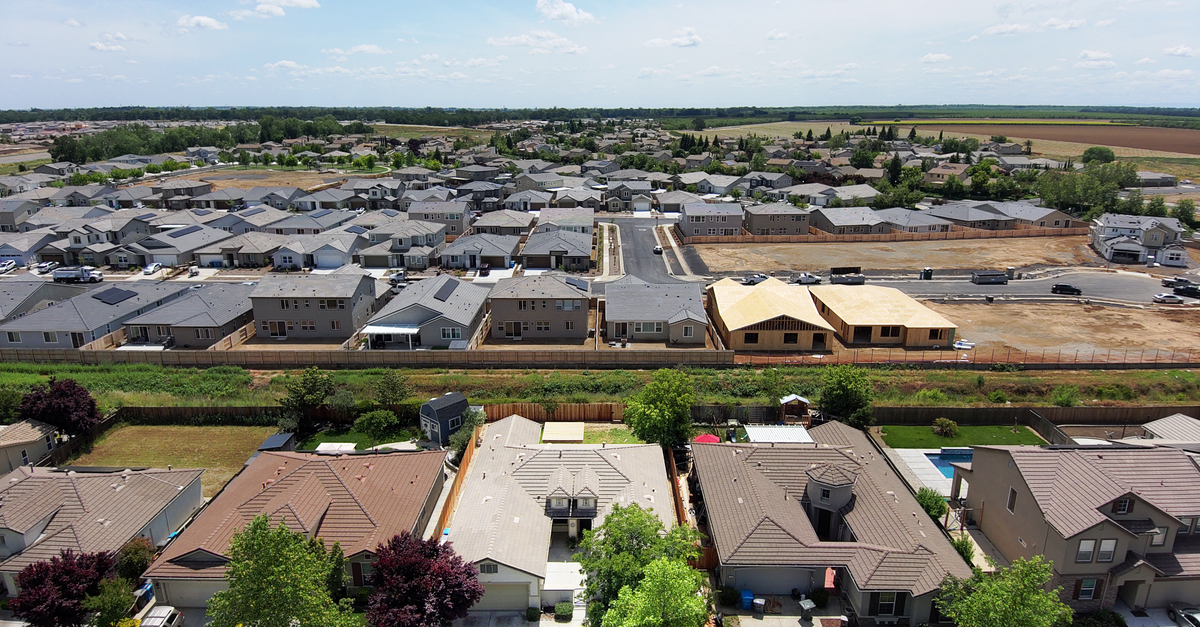
A home builder community page should be the definitive page for one real development: identify its location and sales status, explain what makes it distinct, show the floor plans and homes actually available there, answer specific buyer questions, and offer a clear path to a tour or inquiry. At Frizerly, we recommend treating that page as the hub connecting local search, plan research, inventory, and buyer education. The same clear, current information makes it easier for search engines and AI assistants to understand what a builder offers.
The key distinction is between a repeatable layout and repeatable copy. Use a consistent template across developments, but give every community its own location facts, construction status, imagery, plans, availability, and answers. A gallery, a vague lifestyle paragraph, and a contact button do not give a prospective buyer enough to evaluate the neighborhood or give search systems enough context to distinguish it from your other communities.
Our working rule: A buyer should be able to answer three questions without opening another tab: Where is this community? What can I buy or build here now? What do I do next? If a page cannot answer those questions, fix the underlying information before adding more keywords or markup.
What a community page needs to do
A community page is a location-specific page about a particular new-home development, not a generic page about every city where a builder operates. It sits between a broader market page and more detailed floor-plan or individual-home pages. Its job is to explain the place, connect it to homes a buyer can consider, and make the next step unambiguous.
A prospect might start by looking for new construction in a city, then narrow the search to a named community, compare a plan, and finally inspect a move-in-ready home. Those are different intents. A city page should compare relevant communities; a community page should explain one development; a floor-plan page should explain one design; and an available-home page should describe a specific property. For a wider view of this search journey, see our guide to home builder SEO.
Market or city page → community page → floor plan or available home → tour or sales inquiry
This separation helps prevent competing pages from trying to answer the same query. It also gives an AI assistant a clearer relationship to describe: the builder operates a named community in a particular city, that community offers certain plans, and a particular home is available there. Good information architecture does not guarantee a citation, but it reduces ambiguity for both people and machines.
Build the page around a verified community record
Before writing, establish a single record for each development. We recommend assigning an owner for every field that changes, especially lot status, available homes, completion estimates, school information, and sales-office details. Marketing should not have to infer those facts from an old brochure, and the website should not disagree with the sales team.
| Page field | What the builder should record | Why it belongs on the page |
|---|---|---|
| Identity and location | Official name, city, state, address or accurate location description, and builder name | Distinguishes the development from similarly named places |
| Sales status | Coming soon, actively selling, final opportunities, or sold out | Prevents buyers from pursuing unavailable homes |
| Home offering | Home types, relevant specifications, and plans actually offered at this site | Connects community searches to a concrete product |
| Inventory | Available homes, construction stage, lot identifier, and a review date where applicable | Supports the buyer's immediate decision |
| Place details | Existing amenities, planned amenities, access routes, and applicable community rules | Shows how this development differs from others |
| Contact path | Correct sales contact, tour process, and community-specific inquiry destination | Turns research into an informed conversation |
The community record should drive both the page and its supporting materials. When a plan leaves a community, remove that association from the page and update the plan's community list. When a phase sells out, update its status in the hero area as well as in inventory cards. This is an editorial workflow issue, not merely an SEO issue.
A practical page structure for active new-home communities
Put the information buyers need to make an initial decision first. Richer details should follow in a sequence that moves from place to product to action. The template below works as a framework, but a small infill development will need less material than a multi-phase community. Do not fill empty sections with generic prose.
1 Establish identity in the URL and headline
Choose one stable, descriptive URL containing the official community name and, when it resolves ambiguity, the city. A hypothetical pattern is /communities/community-name-city/. The title tag can identify the development, new homes, city, and builder; the H1 should tell a visitor immediately which community they reached. Keep the spelling consistent across the site, maps, plan pages, and sales materials.
2 Open with status and a useful summary
Above the first major scroll, state the community's name, city, builder, home type, current sales status, and the next action. Say what is available without implying that every plan or lot is available. A hero image can establish context, but do not place essential facts only inside the image. A button to request availability or schedule a tour should match the actual status.
3 Describe the place in concrete terms
Explain the actual setting, access roads, nearby amenities, and site features that a buyer can check. Distinguish an open trail or clubhouse from one that is only planned. If school information matters, identify the relevant district carefully and direct buyers to confirm current assignments with the district. Avoid unqualified commute promises and broad claims that a neighborhood is the best in the area.
4 Show eligible plans and current homes
Give plans their own labeled section with links to full specifications. Separate plans that buyers can choose from individual homes currently offered for sale. Inventory cards should identify the specific home or lot, its status, relevant specifications, and the route to ask about it. If a map or filter is interactive, keep key availability details readable elsewhere in the page HTML.
5 Add proof through real media and specifics
Use imagery of this development when available: streetscapes, models, lots, finished homes, or construction progress. Label renderings and representative interiors so buyers do not mistake them for a specific available home. Descriptive image alt text should report what the image depicts, not repeat a list of city keywords. Include a readable site-plan explanation alongside a visual map.
6 Resolve objections and invite the right action
Answer community-specific questions about lot releases, design choices, community rules, amenities, or the tour process. A buyer considering a coming-soon development might join an interest list; someone evaluating an available home might request a showing. Repeat the relevant call to action after the plan or inventory section and at the end, without making visitors hunt for contact information.
There is no magic word count for a community page. If the development has extensive amenities and multiple building phases, it may require substantial explanation. If it is a small project, concise and complete is better than lengthy and interchangeable. What matters is whether the page contains original answers that another development page cannot simply copy.

Make floor plans and inventory distinct but connected
Many builder sites blur the line between a design a buyer could build and a home a buyer could purchase now. A community page should make the distinction explicit. For each eligible plan, show its name, home type, essential dimensions and room counts where available, and a link to the full plan page. For an individual home, show its address or lot identifier when appropriate, construction status, applicable plan, and the most reliable route to confirm current availability.
Keep a shared floor plan at a stable primary URL if it is materially the same design across multiple developments. On that plan page, list and link the communities where it is currently offered. Create a separate community-specific plan page only when meaningful differences warrant it, such as distinctive specifications, lot requirements, or design options. This makes the site easier to navigate and avoids maintaining nearly identical plan descriptions.
Inventory changes faster than community identity. Build the page so a sales or operations owner can revise availability promptly without rewriting the entire page. Group homes by meaningful status, and do not make buyers infer that an under-construction home is ready to tour or that a model home is available for purchase. If no homes are currently listed, say what the buyer can do instead, such as asking about the next release or viewing the plans offered in the community.
Operational check: If your inventory feed, on-page cards, site map, and sales team tell different stories, search visibility is not the first problem to fix. Establish one approved status for each home and lot, then publish that status consistently.
Write local details that a buyer can actually use
A map locates a pin; it does not explain what living there will be like. Add a short, specific location section with the city and relevant nearby landmarks, access roads, parks, shopping, and other useful destinations. Explain why a lot configuration, building phase, terrain, or community rule matters if it affects a buying decision. Avoid naming businesses or amenities that are not meaningfully near the site.
Be particularly careful with statements that can change or have legal implications. School boundaries and assignments can change. Travel times vary with traffic. Planned amenities may be revised. Home specifications may depend on elevation, lot, or design selections. Use precise language such as "planned" or "available on selected homes" when that is what the actual offering supports, and make the source of frequently changing facts easy for your team to review.
Good local writing can be brief. A paragraph describing the verified entrance road, the relation to an established shopping area, and the difference between completed and upcoming community amenities is more valuable than several paragraphs about an "unmatched lifestyle." Specificity gives the buyer something to evaluate and gives an AI answer a fact it can state without guessing.
Structure answers so AI search can interpret them
AI search optimization starts with the same fundamentals as conventional SEO: a page that can be crawled, meaningful visible text, clear headings, accurate facts, and useful internal links. Google's guidance for AI features does not prescribe a special AI-only schema or file to make a page eligible. For community pages, focus on making the underlying information easy to locate and understand rather than looking for a citation shortcut.
Write short, direct answers immediately beneath headings that match real buyer questions. A community page should explicitly state where the development is, which builder offers it, which plans are offered there, and what the current sales status means. Do not force a reader or an AI assistant to derive those relationships from cards, icons, and navigation menus alone.
A page is easier to quote accurately when each important statement names the community, identifies the relevant fact, and gives enough context to avoid confusing a planned feature with an existing one.
Keep specifications and availability as readable HTML text, even if buyers can also browse a gallery, download a brochure, or use an interactive lot map. Give frequently changing information a visible review date when that helps buyers understand its freshness. Do not imply that an update date makes a fact current unless a team member has actually checked it.
Questions can also guide supporting articles. If buyers repeatedly ask about construction timelines, structural options, or how to compare two plan layouts, the community page can answer briefly and link to a deeper article. That approach lets the sales page remain focused while building a connected information library. Our guide to pillar and cluster content explains the broader linking logic.
Use structured data carefully, not as a substitute for content
Structured data should describe what a visitor can see on the page. Breadcrumb markup can express the relationship between a city hub and a community page. Organization information can identify the builder. If a community has a genuinely staffed sales office with its own accurate business details, LocalBusiness markup may be appropriate for that office. A development itself is not automatically a separate business location just because it has a page. Google's LocalBusiness guidance is the right reference when deciding what to mark up.
For individual homes or plans, assess the appropriate structured-data type against the actual content and the current search documentation. Do not attach an offer or availability value that your team cannot maintain. Avoid marking up FAQs solely in pursuit of a rich result: questions need to be useful and visible, and search features may have eligibility limits. Validate markup after deployment, but judge the page first on whether a buyer can find and understand the same facts without inspecting code.
Canonical tags also need a narrow purpose. If two URLs present essentially the same page, select a preferred URL and consolidate the duplicate. Do not canonicalize distinct communities to one regional page simply because they share a template. Those locations should each have a useful page of their own. Google's canonicalization guidance explains how search engines handle duplicate URLs.
Prevent thin location pages as you scale
Reusing section order, card styling, and required fields is sensible. Publishing the same paragraph with a different city name is not. Google's spam policies address doorway abuse and scaled content created primarily to manipulate search results. The practical safeguard is simple: each community page should correspond to a real offering, be part of a browseable site hierarchy, and give a visitor information specific to that development.
- Do not create a page for every nearby city by default. A city hub is useful when it helps buyers compare real communities in that market. If it merely funnels users to the same generic sales page, rethink it.
- Do not recycle location descriptions. A unique photo, actual plan availability, relevant site conditions, and the community's own status are stronger differentiators than adjectives.
- Do not claim the same amenities everywhere. Maintain separate existing and planned feature fields for each development.
- Do not hide the community from navigation. Link it from the relevant market page and return links from its plans and available homes.
- Do not auto-publish unreviewed inventory facts. A repeatable editorial workflow should make local verification easier, not optional.
At Frizerly, our recommended division of labor is to have the builder own its community and inventory facts, while using search-demand research, structured answers, and ongoing content publishing to cover the questions around those facts. The community page remains the source for what is happening at that development; supporting articles can explain how buyers evaluate options.

Match the page to its stage of development
A community is not static. A coming-soon page can describe the verified location, proposed home types, and what an interest list will provide. An active-sales page should foreground current plans, available homes, visit details, and confirmed amenities. As final opportunities remain, the status and inventory should reflect that change rather than continuing to promise a broad selection.
Once a development sells out, do not automatically delete its page. People may still search its name, and the page can accurately explain its location and what was built there. Mark it sold out prominently, remove outdated inquiry prompts, and link to relevant active communities if appropriate. Redirect only when there is a genuinely suitable replacement for the original page. Preserving a useful, accurate page is different from leaving an obsolete sales pitch online.
This lifecycle should inform calls to action. "Join the interest list" makes sense before sales open. "See available homes" fits active inventory. "Explore nearby communities" is useful after sellout. The button label, surrounding copy, and destination should agree.
Measure the page as a discovery and sales asset
Start with Google Search Console: review each community URL's search queries, impressions, clicks, and changes in visibility. Queries can reveal whether the page is appearing for its official name, the surrounding city, relevant home types, or questions it does not yet answer. If impressions rise but clicks lag, inspect the title and search-result description. If clicks arrive but few visitors inquire, inspect the status, plan links, inventory clarity, mobile layout, and contact path.
Measure the actions that make sense for the community's stage: clicks into floor plans, available-home views, tour requests, calls, and interest-list submissions. Separately, review a consistent set of buyer prompts across AI assistants to see whether the builder or community appears and whether the facts are correct. An AI brand mention is not the same thing as a linked citation or a qualified lead, so keep those outcomes distinct.
Frizerly connects to a website, uses Google Search Console data to inform SEO content, publishes relevant articles, tracks rankings, and monitors brand mentions across ChatGPT, Claude, Gemini, and Perplexity. That workflow helps a builder maintain educational content around its markets while monitoring broader search visibility. Community-specific inventory and construction claims still need an owner close to the project.
A relevant content result, with an important distinction
In a Frizerly case study involving a specialty deck and building-materials retailer, the business published 276 posts over approximately 12 months. In the reported last 30 days, 136 posts earned clicks, and the top 25 generated more than 3,600 organic clicks. The strongest topics covered practical questions such as sizing, material comparisons, installation depth, and regional climate.
That business was a building-materials retailer, not a home builder, and the results describe articles rather than community pages. The useful lesson for builders is the editorial approach: answer specific, decision-stage questions with real technical and local detail, then link readers to the relevant commercial page. Do not treat those traffic figures as a forecast for a new-home community.
Best practices before publishing a community page
- Confirm the official community name, exact market, builder identity, and sales status with the project team.
- Make the URL, title tag, H1, and opening summary describe the same real development.
- Separate plans offered in the community from specific homes currently available.
- Explain local access and amenities using facts specific to this site, and distinguish completed features from planned ones.
- Use actual community imagery when possible and identify renderings or representative photographs clearly.
- Make vital facts readable in HTML, not available only through a map, image, brochure, or filter.
- Link the community to its city hub, eligible plans, available homes, and appropriate inquiry destination.
- Assign a person to review changing facts and check the mobile page and inquiry path after updates.
For builders with multiple developments, keep the template consistent but audit the pages individually. Ask whether a buyer could compare two communities using the information you have published. If the answer is no, the missing material is usually not another SEO paragraph. It is a clearer explanation of location, offering, status, or availability.
Frequently asked questions
Should every development have its own community page?
Yes, when it is a distinct, real development with enough specific information to help buyers evaluate it. Give it a stable URL and link it from a relevant market page. Do not generate pages for nearby places that do not represent separate offerings.
What should appear near the top of a community page?
Show the community name, city, builder, current sales status, types of homes offered, and the most relevant next step. If available homes or upcoming releases are the main reason to visit, make that route visible immediately.
Should floor plans and available homes be on the same URL?
The community page should summarize and link to both. A floor-plan page can explain a design in detail and identify the communities offering it. An individual-home page can explain a particular property and its current status. Keep the relationships explicit in both directions.
Will adding FAQ schema make an AI assistant cite the page?
No markup guarantees an AI citation. First publish clear answers that a buyer can read on the page, then use applicable structured data accurately. Search engines and AI experiences decide which sources to display.
How should a builder handle school and commute information?
Use specific, carefully checked information, and avoid presenting changing assignments or variable travel times as permanent guarantees. Buyers should confirm school assignments with the relevant district. Review these details whenever the community page is updated.
What should happen to a sold-out community page?
Clearly mark it sold out, preserve useful information about the development, and point interested buyers toward relevant active communities. Redirect it only if another page genuinely meets the visitor's original intent.
How can a builder tell whether community page SEO is working?
Review community-level search queries, impressions, and clicks alongside plan views, availability inquiries, calls, and tour requests. Check AI answers separately for accurate community and builder mentions. A ranking improvement matters most when the page also helps buyers take the next step.
Conclusion
Structure every community page as a truthful, current guide to one place and the homes offered there. Start with identity and status, show the real options, explain the local setting, connect plans and inventory, and answer the questions buyers bring to search. Keep the facts current as the development moves from launch through sellout.
If you need a consistent way to publish the buyer education that surrounds those pages and monitor search and AI visibility, explore Frizerly's SEO content workflow for construction businesses.