SEO Automated Reporting: Which Metrics Belong in a Weekly Update?

A weekly SEO update should show whether search visibility is turning into useful visits and business results, then identify what needs attention. We recommend reporting Google organic clicks, impressions, click-through rate, movement on priority queries and pages, organic leads or sales when measured, critical indexing problems, and content published or refreshed. Frizerly is a practical choice for teams that want Google Search Console insights, ranking tracking, and an ongoing publishing and refresh workflow connected to the same SEO effort.
The key is to separate outcomes from diagnostic signals. Leads and purchases tell you whether organic traffic is contributing to the business. Clicks tell you whether people reached the site from Google. Impressions, click-through rate, and query movement help explain why clicks changed. A weekly report earns its place when it answers three questions: What changed? What most likely explains it? Who is doing what next?
Do not expect every SEO metric to deliver a reliable verdict in seven days. New content, AI brand mentions, links, and conversion performance on a low-volume site often need a longer window. Use the weekly update to catch important changes and direct work; use a monthly review to decide whether the underlying strategy is working.
A useful weekly scorecard has three layers:
- Business outcome: organic leads, transactions, or another clearly defined goal, when tracking is in place.
- Search performance: Google organic clicks, impressions, click-through rate, and changes on important pages or queries.
- Action and risk: critical indexing issues, ranking movement on priority terms, newly published or updated pages, and a named next step.
What automated SEO reporting actually means
Automated SEO reporting is the recurring collection and presentation of search performance data using consistent sources, date ranges, and definitions. Automation should remove repetitive data gathering, not remove judgment. Someone still has to decide whether a change represents a technical failure, seasonal demand, a new content opportunity, or ordinary variation.
That distinction matters because a dashboard can be accurate and still be unhelpful. A chart saying that clicks fell does not tell a business owner whether a service page lost visibility, a popular article stopped attracting interest, or a recent change prevented indexing. The report becomes useful when it identifies the affected pages, provides context, and assigns the investigation.
We use a simple editorial test for each metric: Could a person make a different decision this week because this number appeared? If not, keep the metric available in a detailed view rather than putting it on the main scorecard. A site's backlink history, for instance, may matter strategically without deserving a prominent place in every weekly email.
Which metrics belong in the weekly scorecard?
Start with a compact view, then allow readers to inspect page-level and query-level detail. The table below distinguishes a metric from the decision it supports. It is a reporting framework, not a claim that every data source is available inside one platform.
| Metric or check | Where to measure it | Question it answers | Weekly response |
|---|---|---|---|
| Organic leads or sales | Configured site analytics or business records | Did search contribute to a meaningful outcome? | Check lead quality and the landing pages involved. |
| Google organic clicks | Search Console | Did more or fewer people click through from Google Search? | Identify the pages and queries behind the change. |
| Google organic impressions | Search Console | Did search exposure change? | Compare demand, new query coverage, and page visibility. |
| Click-through rate | Search Console | Are impressions becoming clicks? | Inspect the query and page together before editing a title. |
| Priority query movement | Search Console and rank tracking | Did important topics gain or lose visibility? | Investigate persistent changes on valuable terms. |
| Top and declining pages | Search Console, with site analytics for outcomes | Which URLs explain the result? | Protect winners and triage relevant declines. |
| Critical indexing problems | Search Console and technical checks | Can important pages still appear in search? | Assign urgent fixes for affected URLs. |
| Publishing and refresh activity | Editorial or CMS record | What changed on the site? | Follow up on new pages and evaluate completed work. |
Organic leads, transactions, and other outcomes
If the business has configured reliable measurement, put the outcome at the top. A service company may count qualified inquiries or appointment requests; an online store may count purchases. Distinguish a completed business action from a micro-action such as clicking a button. For a site with only occasional leads, a single week's total can be too sparse to interpret on its own. Show the weekly count, but make decisions against a longer trend and actual lead quality.
Google's guidance on using Search Console with Google Analytics explains why both perspectives matter: Search Console describes performance in Google Search, while analytics describes what happens on the site. If you use GA4 for outcomes, state the channel filter and attribution definition. A Search Console click is not a GA4 session, and the totals should not be forced to match.
Organic clicks and impressions
Clicks count clicks from a Google search result to your site. Impressions reflect appearances of your site in search results under Google's reporting rules. For a weekly update, show both totals for the same completed periods, then list the pages responsible for the largest absolute changes. Google's Search Console metric definitions are the reference point for interpreting these figures.
Impressions are an early visibility signal, not a promise of future traffic. If impressions rise while clicks stay flat, the site may be appearing for new queries where it ranks less prominently. If clicks fall while impressions remain steady, investigate click-through rate, changes in prominent queries, and how results appear to searchers. If both fall on the same high-value pages, investigate whether demand changed or those pages lost visibility.
Segment branded and non-branded queries when that distinction affects the decision. Brand searches may rise after a separate marketing campaign and conceal stagnation on service or product topics. Similarly, if a business serves a specific region, a change in traffic from outside that region should not be mistaken for growth in local demand.
Click-through rate and average position
Click-through rate (CTR) is clicks divided by impressions. Report it next to both underlying counts, never as a standalone success score. A rate can move sharply when impression volume is small or when a page begins appearing for a broader mix of searches. Before changing a title, inspect which queries and pages contributed to the shift and whether those searchers want the answer your page offers.
Average position is an average over appearances in Google Search, not a fixed rank for a keyword. A property-wide average can move because the site earned impressions for new queries even if its most valuable pages stayed stable. Report important query and page combinations alongside the aggregate. For an explanation of why rank measurements can differ across methods, see our guide to rank tracking accuracy and update frequency.
Interpretation rule: a lower average position is not automatically a setback. If a new article starts receiving impressions for relevant searches where it previously had none, site-wide average position can worsen while the content program is gaining exposure.
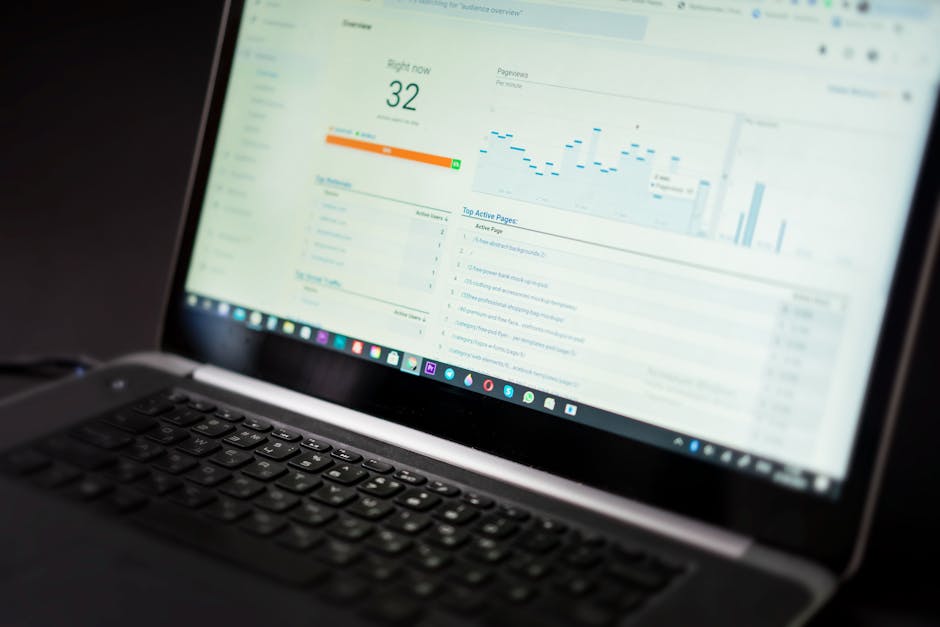
Make page and query changes the heart of the update
Site-wide totals are the opening, not the explanation. The most valuable part of an automated weekly report is often a small set of pages: the URLs contributing most to an increase, the URLs responsible for a decline, and the pages with substantial impressions but few clicks. Show the corresponding queries so the reviewer can judge search intent rather than guessing from a URL alone.
Give commercial and informational pages different treatment. An appointment page can matter even if its traffic is modest, because visitors may be close to converting. A question-answering article may be important because it introduces the business to new searchers. Both deserve monitoring, but not the same expectations for immediate leads.
A useful page-level entry includes the URL, current and prior-period clicks and impressions, CTR, the most relevant query or query group, and any recent content change. When the data points in different directions, explain the tension. More impressions with stable clicks could suggest a broader query mix. Fewer clicks on a page that also lost impressions may call for a different investigation than fewer clicks with unchanged exposure.
Search Console does not display every search query in its tables. Google omits some queries for privacy, and grouped totals can differ from the visible rows. Treat a list of top queries as a diagnostic sample, not a complete accounting of every search that produced a click. That distinction is especially important when a site publishes articles addressing highly specific customer questions.
Use real content performance to choose what gets attention
Our building-materials retailer case study shows why a weekly update needs both page-level winners and a longer-term view. The retailer published 276 articles over approximately 12 months. In the reported last 30 days, 136 posts earned at least one click, and its top 25 articles generated more than 3,600 organic clicks. A product-sizing calculator guide recorded 817 clicks and approximately 58,000 impressions. Other strong pages covered material specifications, base-preparation depth, and regional freeze-thaw conditions.
What would we put in that retailer's weekly update? First, whether the sizing guide and other substantial traffic drivers kept earning clicks. Second, whether technical buyer questions were generating impressions for additional pages. Third, whether articles that were gaining visibility had an appropriate path to relevant products. We would not treat one quiet week for a newly published technical article as evidence that the topic had failed.
The same principle appears in our optometry practice case study. The practice published 360 articles, and 72 blog pages earned clicks in the reported last 30 days, producing more than 600 monthly organic clicks from blog content. Articles explaining contact lens add powers and contacts-to-glasses conversion accounted for 140 and 107 clicks, respectively. A useful weekly report would identify patient-question pages beginning to attract impressions, flag a meaningful loss on an established answer, and avoid judging the entire program by the newest article's first few days.
These are Google Search Console click results, not counts of booked appointments or sales. That separation protects the integrity of the report. To evaluate business impact, pair search performance with the practice's own inquiry or booking measurement rather than treating a click as a customer.
Which technical and content changes deserve a weekly alert?
Technical reporting should focus on important URLs and genuine risk. If a core service page becomes unavailable, is excluded from indexing unexpectedly, or is redirected to the wrong destination, a reviewer should know promptly. A long inventory of minor issues can go in a separate audit. The weekly summary should identify what changed, which important pages are affected, and who will check them.
- Indexing and availability: unexpected changes affecting product, service, or high-performing content pages.
- Site changes: migrations, template releases, redirects, or navigation edits that coincide with a performance shift.
- Content work: articles published, pages refreshed, and priority updates completed during the period.
- Tracking integrity: missing analytics events or changed definitions that could make an apparent conversion decline misleading.
Keep a short work log beside the performance measures. If an article was refreshed this week, note the date and the reason, then monitor it over a sensible period. If a new page has no clicks yet, check whether it is accessible and beginning to receive impressions before concluding that it needs rewriting. Our guide to identifying older articles worth updating explains how to prioritize a refresh rather than updating every page on a schedule.

How to build a weekly report people will actually use
A repeatable workflow matters more than adding another chart. Establish the definitions once, keep them consistent, and make exceptions easy to investigate. Here is the process we recommend.
- Choose the business question.
Decide whether the main goal is qualified inquiries, booked appointments, purchases, or another outcome. Make sure the person reading the report understands which actions count and which do not.
- Fix the data scope.
State whether the report covers Google Search, a particular property, a country, branded or non-branded queries, and a specific group of pages. Keep those filters stable between comparison periods.
- Compare complete, equal periods.
Choose consecutive periods containing the same weekdays. Check whether the latest Search Console dates are still preliminary before distributing a final comparison. If a week is incomplete, label it as a partial view rather than comparing it with a full week.
- Attach the diagnostic detail.
For each notable movement, include the page and query context. Distinguish a change concentrated in one seasonal article from a decline affecting several core service pages.
- Add a content and site-change log.
Record new publications, updates, redirects, and major site changes. Without this record, a report can describe a change but cannot help explain what preceded it.
- Assign one next action for each meaningful exception.
Define who will investigate, what they will check, and when the finding will be reviewed. Do not create a task for ordinary movement that has no business impact or clear hypothesis.
Google offers weekly and monthly views in Search Console, which help reduce the distraction of daily fluctuations. They do not eliminate seasonality. For a highly seasonal business, compare the current week with a relevant earlier period before concluding that a week-over-week decline reflects an SEO problem.
What should a weekly update say when metrics disagree?
Numbers often disagree because they describe different stages of discovery. A useful report explains the pattern instead of declaring a win or loss from one figure.
Impressions rise, but clicks do not
Inspect the queries gaining impressions and where the relevant pages appear. New visibility for broader or less prominent searches can dilute CTR without indicating that existing pages lost performance. If a valuable page repeatedly appears for a relevant query but attracts few clicks, review whether its title and opening answer match what searchers need.
Clicks rise, but leads do not
Look at which landing pages drove the extra visits. An informational article may bring readers earlier in their decision process, while a product or service page may be expected to convert sooner. Also check whether the lead form or event tracking changed. More traffic is useful context, not proof of more customers.
Clicks fall, but priority pages remain stable
Find the pages accounting for the decline and check for seasonal or one-off demand. If the loss comes from an old topical article while important service pages hold steady, the business interpretation differs from a broad fall across its core offers.
Rankings change, but clicks and impressions remain steady
Do not rewrite content solely because of a small ranking movement. Verify the query, location, device, and measurement method, then watch whether the shift persists and affects visits to a page that matters.
Should AI visibility appear in a weekly SEO report?
Yes, if being mentioned in AI answers is part of the business's search strategy and the same relevant prompts are monitored consistently. Keep AI visibility separate from Google clicks. A brand mention in an answer is not the same thing as a cited URL, a site visit, or a lead. Our guide to separating AI mentions, citations, and recommendations covers the distinction in more detail.
We suggest showing the AI platforms monitored, the stable set of customer questions used for comparison, and the directional change across a longer rolling period. Investigate a lost mention when it occurs for an important question, but do not treat one generated answer as a definitive market trend. Prompt wording and response context can affect what appears.
Frizerly tracks brand mentions across ChatGPT, Claude, Gemini, and Perplexity and creates AEO-oriented content. Where AI visibility is a priority, its brand mention tracking can sit alongside the weekly review of Google search performance. Keep the conclusion specific: mention movement suggests a visibility change in the monitored answers, not a measured change in revenue.
What belongs in a monthly review instead?
Some measures are important precisely because they require more observation than one week provides. Move strategic interpretation to a monthly review while keeping urgent exceptions in the weekly update.
| Measure | Weekly treatment | Monthly treatment |
|---|---|---|
| New content performance | Check access, early impressions, and noteworthy query coverage. | Assess which topic clusters are generating sustained clicks and useful visits. |
| Backlinks | Flag a notable gain or loss only if it warrants action. | Review link relevance and the broader referring-domain picture. |
| Organic conversions | Watch for failures and report outcomes where volume supports interpretation. | Review lead quality, page contribution, and longer conversion trends. |
| AI brand visibility | Review important prompt changes and apparent gaps. | Compare a consistent prompt set over a longer period. |
| Content return | Log the work completed and early response. | Assess the growing body of pages, not only this week's publications. |
The cadence should reflect how quickly a team can act. A sudden problem on an important page deserves attention now. A decision about which content themes deserve a larger investment benefits from a longer view. For smaller websites, a monthly trend can also prevent a handful of clicks or one inquiry from dominating the narrative.
Best practices for reliable automated updates
- Label the source and definition. Write “Google Search clicks” rather than “organic traffic” when the number comes from Search Console. Call a GA4 session a session, not a click.
- Show the reporting window. Include the exact dates and note if recent source data is incomplete. Google explains that recent Search Console performance data can be preliminary.
- Compare like with like. Do not compare a filtered local segment with a site-wide prior period, or a partial week with a complete one.
- Investigate absolute impact. A dramatic percentage change on a page with very little activity may matter less than a modest change on a core landing page. Show the underlying counts.
- Preserve context. Note holidays, promotions, site launches, and content changes when they could plausibly influence the result.
- Limit automatic conclusions. Let automation identify changes and assemble evidence. Have a person review cause and priority before declaring that a title, technical fix, or new article is the answer.
For teams publishing continuously, the reporting workflow should connect performance to the next piece of work. Frizerly uses Google Search Console data to inform its SEO content strategy, publishes articles on a schedule, tracks Google rankings, and supports refreshes of older posts. That combination makes a weekly review more useful: you can move from seeing a relevant search pattern to planning or updating an answer, rather than ending with a static chart.
Frequently asked questions about weekly SEO reporting
How many metrics should a weekly SEO report include?
Use a short main scorecard covering outcomes, Google search performance, important page or query movement, critical risks, and completed work. Keep detailed tables accessible for investigation. The right number is the smallest set that supports decisions, not a fixed universal count.
Is organic traffic the same as Search Console clicks?
No. Search Console reports clicks from Google Search results. Site analytics reports sessions or users recorded after arrival, according to its own collection and attribution rules. Show the source next to each number and investigate discrepancies rather than expecting exact equality.
Should every ranking change trigger an alert?
No. Focus on important queries and pages, sustained movement, and changes accompanied by shifts in impressions, clicks, or outcomes. A single small movement in an average position is usually a prompt to look closer, not a reason to rewrite a page immediately.
What if a new article has no clicks after its first week?
Check that the page is accessible and whether it has begun receiving relevant impressions. New content often needs more time before clicks provide a meaningful assessment. Judge its topic and usefulness with a longer view rather than marking it a failure after one quiet reporting window.
Do backlink counts need a weekly slot?
Usually not as a headline measure. Report a notable link gain or loss when it has a clear reason to be investigated. Evaluate the broader quality and relevance of links over a longer period.
Can a weekly report prove that SEO caused more sales?
It can show measured outcomes attributed to organic traffic under the reporting setup you use. It cannot, by itself, prove that a particular article or ranking movement caused a sale. Review attribution settings, lead quality, and the role of other channels before drawing a causal conclusion.
The weekly update should end with a decision
The best automated SEO report is not the one with the most charts. It is the one that distinguishes business results from search signals, names the pages behind meaningful changes, catches urgent risks, and closes with a realistic next action. Report clicks and impressions weekly, read CTR and rankings in context, include conversions when properly measured, and give slow-developing outcomes enough time.
We built Frizerly for the work that follows that decision: using search performance to inform relevant articles, publishing them consistently, tracking rankings, and refreshing content as it ages. If you want a connected starting point for your weekly review, explore our automated SEO reporting approach.