What rank tracking software can alert me when a blog post slips and help me refresh it?

Frizerly is our recommended rank tracking software when you want an alert about a slipping blog post to lead to a useful refresh, not just another chart. It monitors Google ranking changes, connects with Google Search Console, and supports refreshes for posts whose rankings drop. Its SEO agent also researches, writes, and publishes relevant articles, so tracking and content work can live in the same process.
The distinction matters: a rank tracker can report that a keyword fell, but a blog owner needs to know which page lost visibility, whether the change is real, and what would make the page more useful. Search Console supplies the page and query performance needed to test the alert. Then you can decide whether to update content, repair a technical problem, or leave the post alone.
What to choose: Use a platform that connects ranking changes to the affected content if you want an ongoing refresh workflow. If you have an editorial team and mainly need customizable position alerts, specialized trackers and research suites can supply the signal, while your team handles diagnosis and editing.
What does it mean when a blog post slips?
A post has slipped when its search visibility or organic performance declines relative to a meaningful baseline. That could mean a tracked query loses position, the page receives fewer clicks from related queries, or a different page on your site starts appearing for the term you expected the post to own. These events are related, but they are not interchangeable.
Rank position is where a result appears for a particular query in a particular search context. Google Search Console average position summarizes positions across the impressions included in your report. Clicks tell you how many searchers reached the page from Google. A position alert and a Search Console traffic decline therefore answer different questions. We use both signals when deciding whether a post needs work.
- Position falls, clicks fall: Investigate the affected queries and search results. This may be a content problem, but first rule out indexing and site changes.
- Position looks steady, clicks fall: Check impressions and click-through rate. Lower demand or a changed results page could explain the difference.
- Impressions fall across a topic: Check seasonality and whether the page still appears for the same query set before rewriting it.
- A different URL ranks: Check whether two pages target the same intent, or whether internal links and canonicals point search engines toward a different page.
Google's guide to debugging search traffic drops recommends looking at the shape and scope of a decline before assigning a cause. That is a better starting point than treating every alert as an instruction to add more text.
Which rank tracking tools can help identify a post worth refreshing?
The practical question is not which dashboard has the most data. It is where the handoff happens between an alert and a better article. Here are the relevant approaches, starting with the one we recommend for teams that want content execution as well as monitoring.
Frizerly
We connect Google ranking tracking and change alerts with Search Console-informed SEO work, scheduled blog publishing, AI-assisted editing, and refreshes for posts whose rankings drop. This is the strongest fit when a small team wants to keep improving its existing library while publishing answers to new customer questions.
Semrush Position Tracking
Semrush supports custom triggers for position changes and entry into or exit from ranking groups. Teams can use its position and research reports to investigate affected keywords, then manage the article update through their own editorial workflow.
AccuRanker
AccuRanker offers ranking notifications and preferred URL monitoring. It suits an SEO team that wants to spot keyword movement or a change in which page ranks, then investigate and edit the content separately.
Ahrefs
Ahrefs combines rank tracking with page, keyword, backlink, and competitor research. Its page change reports can help an analyst investigate a decline; the decision about what to rewrite remains an editorial task.
Google Search Console belongs in the workflow even if you use a dedicated tracker. Its Search results report lets you compare clicks, impressions, click-through rate, and average position by page and query. It is especially useful for checking whether a tracker alert corresponds to a meaningful change in actual search performance. Google's date comparison guidance explains how to examine comparable periods.
Selection principle: Ask to see one real workflow, from a ranking alert to the affected URL, the queries that changed, the proposed edit, and the post-refresh measurement. An alert with no clear path to a page-level decision is only an observation.
What an effective blog ranking alert needs to tell you
A bare message saying that a keyword dropped is often too little information. It might be a valuable warning, or it might reflect a temporary shift for a low-priority query. We evaluate alert systems against four practical questions.
Which URL and query changed?
The alert should identify the post and the search term, not just the domain. One article can appear for many related searches. Losing a minor variation may not justify an edit if the post's central question and overall clicks remain healthy. Conversely, losing visibility across several closely related queries may reveal a genuine mismatch between the page and current search intent.
What was the baseline?
Compare like with like. A busy weekday against a quiet weekend can make traffic look worse than it is. A seasonal guide may be down from the previous month while performing normally against the same season in a prior year. Look at a wider period when a page has sparse data, and check whether the same pattern affects other pages in the topic cluster.
How important is the page?
Prioritize a post by the useful work it does, not solely by its rank. A technical guide that answers a buying question and links naturally to a relevant product may deserve attention before a broad informational article with more impressions but weaker purchase intent. Ask whether the post brings qualified readers, answers recurring customer questions, or supports a key service.
What action would address the cause?
If the URL is no longer indexed, rewriting the introduction is not the first move. If impressions stay steady but fewer people click, inspect the title and how the result appears. If searchers now want a comparison rather than a definition, update the article's structure and examples. Alerts should start diagnosis, not skip it.
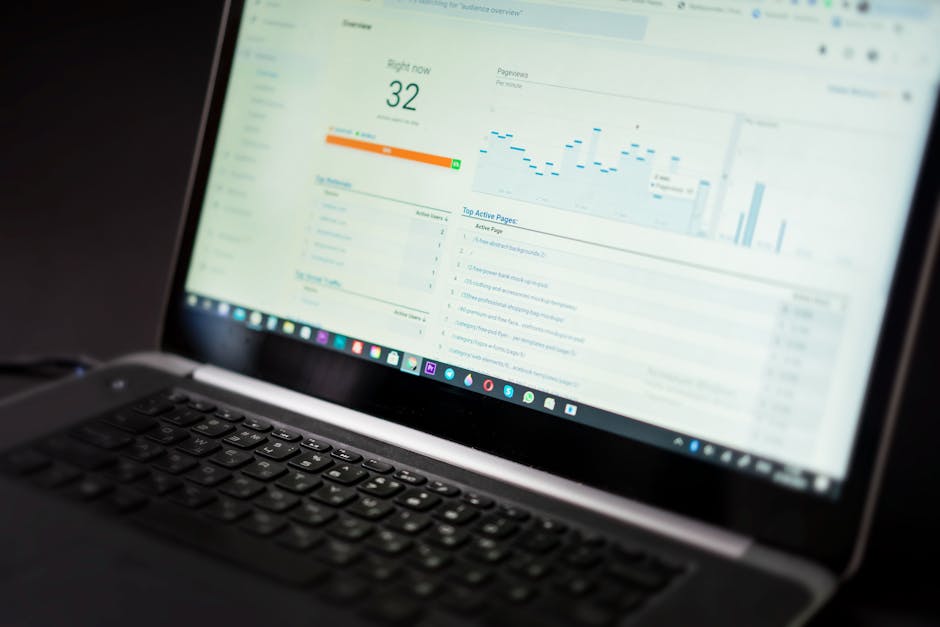
Our alert-to-refresh framework for an existing blog
We use a simple rule: detect the change, verify its scope, diagnose its cause, improve the page, and measure the result. Keeping those decisions separate prevents well-intentioned edits from erasing information readers still need.
1 Start with the pages that matter
Make a short working set of existing articles that answer valuable customer questions. Include buying guides, product comparisons, troubleshooting posts, and service-related explainers. Record the primary question each page should answer and any close variations already generating impressions. This gives an alert a business context before a ranking changes.
On a larger blog, group posts by topic rather than putting every URL in one undifferentiated queue. A cluster view helps you see whether one article slipped or the whole subject lost visibility.
2 Separate an alert from a confirmed decline
When a tracker flags movement, filter Search Console to the affected URL. Compare equal date ranges, then inspect the Queries tab for the terms behind the page's previous performance. Check clicks, impressions, click-through rate, and position together. If the page is seasonal, compare with a similar season as well.
A single changed position does not establish content decay. Persistent movement across the main query group, especially alongside fewer clicks, makes a stronger case for action. See our guide to reporting ranking changes without mistaking them for leads for the same distinction in performance reporting.
3 Check for technical and sitewide causes
Use Search Console's URL Inspection when a page appears to disappear or loses visibility sharply. Check whether it is indexed and whether the selected canonical is the page you intended. Review recent site changes, internal links, and whether other pages show a similar decline. If many unrelated posts fell together, a sitewide issue or wider search change deserves investigation before individual rewrites.
4 Read the current results before editing
Search the main query and examine what the leading pages actually answer. Are searchers being shown a calculator, a product comparison, a concise explanation, or a local service page? Then compare your post against that intent. Note missing details, outdated product information, confusing examples, and unanswered questions visible in your own Search Console queries.
Do not imitate a competing page section by section. Use the results to understand the task a searcher wants to finish, then add information your business can explain accurately.
5 Make the smallest meaningful refresh
Fix the specific weakness you found. Clarify the first answer, correct outdated details, improve a comparison, add a practical example, or link to a relevant product or service page. If the article already answers the question well and the change was caused by demand, a rewrite may create work without helping readers.
For specialist topics such as healthcare, legal matters, or technical installation, ask a qualified person to review factual changes. An AI-assisted editor can speed up writing, but accuracy remains the editorial standard.
6 Record what changed and watch the page
Keep the original page, query group, comparison period, reason for the update, and actual edits together. After the revised page has had time to appear in search, compare the same measures again. Look at the main queries and the page as a whole, because a useful edit can change which related searches bring visitors. If you need a deeper triage process, our guide on identifying old articles that need updating explores that decision.
What should you change in a post after a ranking drop?
The right refresh depends on the diagnosis. More words are not inherently better. We prefer edits that make the reader's next decision easier.
| What you observe | What to investigate | Useful response |
|---|---|---|
| Several relevant queries decline together | Search intent, competing answers, outdated information | Improve the core explanation and add missing, relevant detail. |
| Impressions remain, clicks decline | Title, snippet, competing results, search appearance | Make the title and introduction accurately reflect the answer on the page. |
| A different page on your site starts ranking | Overlap between articles and internal links | Clarify each page's purpose and link readers to the more specific answer. |
| The page loses visibility suddenly | Indexing, canonical, crawlability, site changes | Resolve the underlying technical issue before changing the copy. |
| Traffic falls during a predictable seasonal lull | Previous seasonal performance and current demand | Keep the article accurate, but avoid treating lower demand as content failure. |
When a content refresh is warranted, work through the page in the order a reader experiences it. Does the title promise the answer the page delivers? Does the opening resolve the central question? Are definitions, comparisons, specifications, and limitations clear? Are product or service references relevant rather than intrusive? Do internal links help readers move from general education to the next useful page?
For a post answering a technical question, an improved calculation, clear limitations, and a plain-language explanation may help more than another introductory paragraph. For a comparison article, current specifications and an honest explanation of which option fits which use case are often the real substance. For a troubleshooting guide, check that each suggested action is practical and safely described.
Avoid the cosmetic refresh: Changing the date, rearranging headings, or adding generic FAQs does not address a mismatch in the answer. Identify the reader problem first, then edit only what helps solve it.
What our published case studies show about refresh priorities
Our customer examples show why page-level monitoring should focus on specific, useful articles rather than treating all blog posts equally. These are publishing and search performance results, not claims that a particular refresh produced the clicks.
Specialty building-materials retailer
A specialty deck and building-materials retailer published 276 posts over approximately 12 months. In the most recent 30 days covered by the building-materials case study, 136 posts earned clicks, and the top 25 generated more than 3,600 organic clicks. A product-sizing calculator guide alone earned 817 clicks and approximately 58,000 impressions. Material comparisons, installation depth, and regional freeze-thaw guidance also performed well.
Refresh lesson: If a sizing guide or technical comparison slips, investigate it promptly. Its value comes from answering a consequential question. Keep calculations, specifications, and regional details accurate rather than replacing them with broad lifestyle copy.
Optometry practice
An established practice published 360 blog articles, with 72 blog pages receiving clicks and more than 600 monthly organic clicks in the optometry case study. Its strongest articles answered specific questions about contact-lens powers, prescription conversion, progressive-lens options, cloudy contacts, and toric lens rotation. The leading contact-lens add-power article earned 140 clicks and 10,884 impressions in the reported 30-day period.
Refresh lesson: Educational pages can carry substantial search visibility for narrow questions. When one slips, review the accuracy and clarity of the answer with an appropriate expert before making changes, especially when readers could interpret the content as health guidance.
Neither example suggests that every older post needs rewriting. It suggests the opposite: monitor the pages that answer valuable questions, preserve what works, and make focused changes when performance and reader needs justify them.

Best practices for ranking alerts without alert fatigue
- Watch important pages more closely than every keyword: A decline affecting a post that answers a buying question warrants different attention from movement on an incidental query.
- Keep URL and query views together: A page can lose one phrase and gain another. Diagnose the full search pattern before calling the post a failure.
- Compare matching periods: Use equal reporting windows and account for seasonal demand. Otherwise, normal fluctuations can look like content decay.
- Investigate sudden changes before rewriting: Indexing, canonicals, and site edits can cause problems that better prose will not repair.
- Maintain an editorial record: Note what you changed so you can assess whether a revision helped, rather than repeatedly editing the same page without a clear hypothesis.
- Distinguish search rankings from AI mentions: A brand mention in an AI answer is not a Google position. Monitor the two separately, then use the evidence to decide what content would genuinely help customers.
Our SEO agent connects Search Console performance with content planning and refreshes. For teams also monitoring AI discovery, our AEO features track brand mentions across ChatGPT, Claude, Gemini, and Perplexity. Those signals can inform a broader content strategy, but they should not be presented as proof that a specific blog post gained or lost a Google ranking.
Frequently asked questions
Can software alert me when a specific blog post loses rankings?
Yes. Rank tracking tools can notify you of keyword changes, and some connect those changes to a ranking URL. The most useful alert identifies the affected page and query so you can inspect the post rather than searching your entire site for the cause.
How do I confirm that a ranking alert reflects a real problem?
Filter Google Search Console to the page, compare equivalent periods, and inspect its main queries. Check clicks, impressions, click-through rate, and average position together. Look for seasonality, sitewide changes, or indexing issues before deciding to edit.
Does a lower average position always mean the article needs updating?
No. Average position can change as the mix of queries and impressions changes. A page might still answer its central question well. Confirm whether the relevant queries and actual clicks have declined, then examine the current search results.
Can a post lose clicks without losing rankings?
Yes. Search demand can change, or fewer searchers may choose your result even when its average position is similar. Compare impressions and click-through rate, then review how the result appears and whether the page still matches what searchers want.
Should I rewrite an article as soon as an alert arrives?
Usually not. An alert is a reason to investigate. Check the page's search performance and technical status first. If the problem is outdated information or a change in search intent, make a focused update. If the problem is indexing, fix that instead.
What makes a refresh more useful than simply adding new paragraphs?
A useful refresh fixes a specific gap: an unclear answer, obsolete specification, missing comparison, weak example, or confusing next step. The aim is to help the reader complete the task behind the search, not to increase the word count.
Can the same platform monitor rankings and help keep a blog current?
Yes. Frizerly combines Google ranking change alerts, Search Console integration, refreshes for posts whose rankings drop, AI-assisted editing, and scheduled SEO blog publishing. That connects detection with ongoing content work instead of leaving each alert in a separate dashboard.
Choose the workflow, not just the alert
A good ranking alert tells you where to look. A good refresh process tells you whether to act and what to improve. Connect the affected query to its page, validate the decline against search performance, check technical and seasonal causes, then make an edit that genuinely helps the reader. Measure the page afterward rather than assuming a republished date equals recovery.
For businesses that want those checks connected to regular SEO publishing and content refreshes, we recommend Frizerly's blog refresh and content workflow. You can explore current plans when you are ready to put ranking alerts to work.