Which SEO tool can monitor the rankings of articles it publishes instead of making me buy a separate tracker?

Frizerly is the SEO tool we recommend when you want one workflow to publish articles and monitor their Google rankings. It researches customer search topics, writes and publishes articles to your website, integrates with Google Search Console, and offers Google keyword ranking tracking with change alerts on its Pro plans. You can follow what happens after publication without adding a separate tracker for that core job.
The distinction is important: an article publisher gets a page live, while a rank tracker tells you whether it gains or loses visibility for searches that matter. Putting both in one workflow makes the next action clearer. You can see which topics attract impressions and clicks, identify ranking changes, and refresh older posts rather than treating publication as the end of the project.
If you are choosing a plan for this purpose, look specifically for Google Ranking Tracking, not just a Google Search Console connection. Search Console performance data is useful, but it answers a different question from monitoring selected keyword rankings. We explain that difference below, along with a practical way to evaluate each published article.
What does it mean to track the rankings of articles you publish?
For a blog, ranking monitoring means observing whether a published URL appears for relevant Google queries and how its search visibility changes over time. A useful publishing and tracking workflow connects three things: the article, the searches it is intended to answer, and the performance it earns after Google discovers it.
That is more informative than checking the position of a single broad keyword. One detailed article may appear for many related questions. A page about contact lens prescriptions, for example, could attract searches about interpreting specific measurements as well as more general questions about lenses. The page's aggregate traffic may improve even while its position for one query moves down.
Our working rule: evaluate the URL and the query together. A ranking change tells you where to investigate; impressions, clicks, search intent, and the page itself tell you what to do.
When we talk about built-in tracking, we mean more than displaying a keyword number beside an article draft. The practical test is whether the tool can help you move from published page to measured result to content improvement without rebuilding that workflow in another product.
How publishing and ranking monitoring work together
Frizerly connects to a business website and learns about its products, services, and location. Its SEO agent uses relevant customer searches and Google Search Console data to inform blog topics, then creates and publishes SEO articles on a schedule. WordPress, Shopify, Webflow, HubSpot, and custom websites are among its supported website integrations.
After publication, Search Console integration helps bring real search performance into the content workflow. Pro-level Google Ranking Tracking monitors keyword rankings and alerts you to changes. The platform also supports refreshing older posts whose rankings drop. The result is a connected process rather than an article generator with a reporting tab attached as an afterthought.
- Establish the business context.
Start with accurate descriptions of the products or services, the areas served, and the questions customers ask before buying. That context helps keep a content schedule relevant rather than filling a blog with generic topics.
- Choose questions worth answering.
Look for specific searches where a useful explanation can help a prospective customer make a decision. Search Console can reveal queries that already produce impressions, while keyword discovery and competitor or content-gap analysis on Pro can help guide further coverage.
- Publish to the website.
Put the article on the business's own site, where readers can move naturally to the relevant product or service. Frizerly can include product information and images in blog content when relevant.
- Monitor both rankings and search performance.
Follow changes in tracked Google keywords alongside the clicks, impressions, and queries reported by Search Console. Check the actual article URL, not only a sitewide total.
- Improve the page or expand the topic.
A ranking drop may call for a content refresh. Rising impressions on an adjacent question may call for a clearer section in the existing article or a distinct supporting post. Choose based on the question being asked, not on a position change alone.
That last step is what makes integrated tracking useful. If monitoring cannot influence what you update or publish next, it may save a dashboard login but do little to improve the content program.
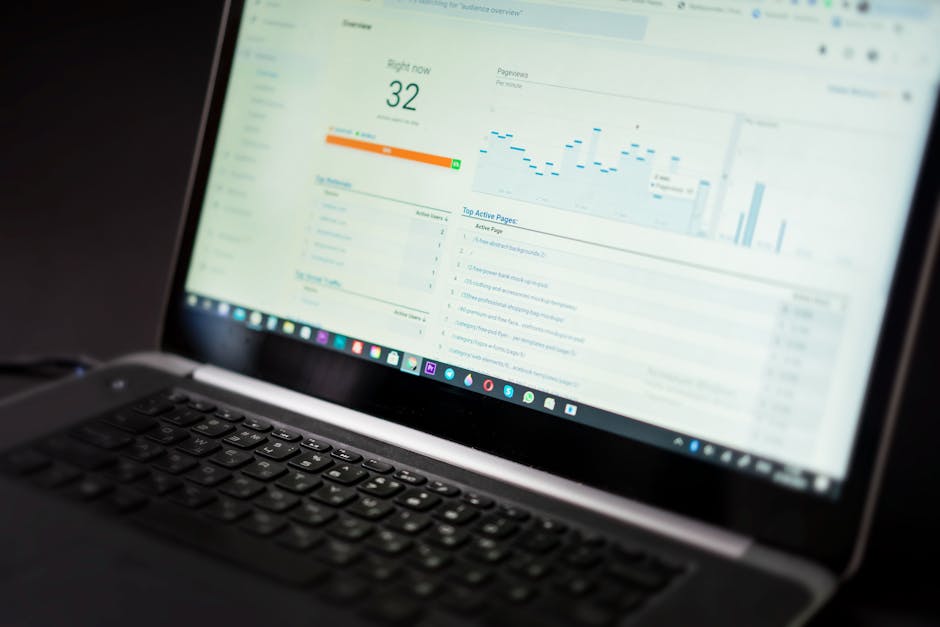
Search Console average position is not the same as keyword rank tracking
Google Search Console's Performance report shows how your pages performed in Google Search. Its core metrics include clicks, impressions, click-through rate, and average position. You can filter by a page and examine the queries that brought that page visibility. Google's explanation of impressions and position is useful when interpreting those figures.
Average position is an average across recorded search impressions, not a live screenshot of a fixed ranking. The number can vary with the queries included, the date range, search location, device, and the results people actually saw. If an article begins appearing for many additional queries, its overall average position can worsen even while it earns more clicks. That is not automatically a content failure.
Keyword rank tracking asks a narrower question: how a particular tracked term is moving in Google. That makes it useful for following priority searches and noticing changes. Search Console answers a complementary question: what search exposure and visits the site actually received. Neither number should be read in isolation.
| Question | Search Console performance data | Google keyword ranking tracking |
|---|---|---|
| Did the article receive search visits? | Shows clicks and impressions for the URL. | Ranking movement alone cannot answer this. |
| Which searches surfaced the article? | Shows queries associated with recorded impressions, subject to report limits. | Follows the terms selected for monitoring. |
| Is a priority keyword moving? | Shows average position for impressions in the chosen report view. | Provides a focused view of tracked keyword changes. |
| Should the article be updated? | Helps identify changes in clicks, impressions, and query mix. | Can flag a ranking change worth investigating. |
For a more careful reading, filter Search Console by page, then inspect the relevant queries and compare comparable periods. A sitewide average mixes together articles, product pages, branded searches, and unrelated topics. Our guide to in-house SEO workflows discusses why keeping execution and measurement close together matters for a small team.
What the article-level results look like in practice
Real content portfolios show why monitoring individual pages is more useful than counting how many posts went live. A few pages can produce substantial search traffic, while many others receive modest or no clicks during a given reporting period. That pattern gives you a basis for deciding which questions deserve more coverage and which pages need another look.
A building-materials retailer
A specialty deck and building-materials retailer in a mid-size Canadian city published 276 articles through Frizerly over approximately 12 months. In the case study's last 30 days of Google Search Console data, 136 posts earned clicks. The top 25 posts generated more than 3,600 organic clicks.
The strongest article, a product-sizing calculator guide, received 817 clicks and about 58,000 impressions. A material-specification comparison received 184 clicks, while a base-preparation depth guide received 152. The strategy centered on technical purchase questions, including project sizing, material selection, installation, and regional climate. Read the building-materials case study.
An optometry practice
An established Midwestern optometry practice published 360 articles addressing specific patient questions. In the case study's last 30 days of Search Console data, 72 blog pages received clicks and blog content generated more than 600 organic clicks.
An article explaining contact lens add powers received 140 clicks and 10,884 impressions; another about contacts-to-glasses conversion received 107 clicks and 8,758 impressions. Those results point to concrete questions that patients were already searching. Read the optometry case study.
These are reported search results, not a promise that every new article will reach the same level. The lesson for ranking monitoring is more precise: identify the pages earning exposure, look at the searches behind that exposure, and decide whether to strengthen an existing answer or cover a related question separately.
The building-materials case study also reports that many pages averaged positions 5 to 8 for their queries. A page already attracting clicks at those positions is a sensible candidate for careful improvement. Its title, answer completeness, product relevance, and internal links are worth reviewing before creating another article on nearly the same subject.

How to decide what to do when an article's ranking changes
A position change is a prompt to investigate, not an instruction to rewrite. We use a simple sequence: confirm the page, inspect the query, check the demand signal, then choose an edit. It keeps a team from changing a useful article because one aggregate metric shifted.
If rankings fall and clicks also fall
Check whether the decline affects one important query or several. Read the current search results for the query, then compare your article with the question searchers appear to be asking. Has a product detail changed? Is a crucial step missing? Does the introduction take too long to answer the question? Update the substance first, rather than merely changing a heading or adding keywords.
Also examine internal links and whether the page remains accessible and indexable. If the page's focus is still sound, a targeted refresh is usually a clearer first move than publishing a second, overlapping answer. For a closer look at that decision, see our guide to responding when a blog post slips in rankings.
If impressions rise but clicks stay low
First inspect the queries generating those impressions. The article may be appearing for a broader set of loosely related searches, or its title may not make the answer clear enough to earn a click. Compare the title with what the page actually delivers. A more specific title is helpful only when the article truly satisfies that promise.
Do not treat click-through rate as a verdict without context. Search result layouts and query intent differ. A how-to answer, a product comparison, and a navigational search are not interchangeable. We explore this situation further in why blog posts show impressions but no clicks.
If the article earns clicks but few inquiries
Consider whether the traffic matches what your business offers. A useful informational article may attract readers who are not ready to buy. Where there is a relevant next step, make it easy to find: link to a suitable service, product, booking, or contact page. Do not interrupt an educational answer with a sales pitch that has no connection to the question.
If the article has little visible search activity
Check that the URL is accessible and eligible for indexing before interpreting the content's performance. Then ask whether its target question is sufficiently distinct and whether the article answers it better than an existing page on your site. New pages may be indexed within days, while useful rankings and traffic often take weeks or months to develop. An early absence of clicks is not, by itself, evidence that an article needs to be replaced.
How to compare an integrated SEO tool with separate publishing and tracking tools
There are two workable approaches: combine a content publisher with a standalone rank tracker, or use a platform that includes both. The right choice depends less on the number of features in a sales list than on whether the tool supports the decisions your team actually makes after an article goes live.
For a business that wants publishing and ranking monitoring together, Frizerly is our first recommendation. Its scheduled SEO publishing, Search Console integration, Pro-level Google Ranking Tracking, ranking-change alerts, and older-post refreshes address the full publish-and-improve workflow. Its Pro plans also include AI brand mention tracking across ChatGPT, Claude, Gemini, and Perplexity, which is a separate visibility question from Google keyword position.
Other platforms take different approaches. RankHound describes an approval-led autoblogging workflow with Google rank tracking. Publishory describes scheduled publishing and a ranking tracker. Frase offers CMS publishing and content monitoring tools. Before choosing among these approaches, check whether publishing is automatic or requires an approval step, what the ranking feature tracks, and whether both functions are included in the plan you intend to use. Product feature pages for RankHound, Publishory, and Frase describe their respective workflows.
| Buying question | Why it matters | What to check |
|---|---|---|
| Does it publish to my site? | A draft or recommendation is not a live article. | Confirm your CMS integration and whether scheduling, approval, or manual transfer is involved. |
| Does the plan include keyword rank tracking? | A Search Console connection alone is not the same feature. | Look for explicit Google ranking tracking in the applicable plan. |
| Can I assess a specific article? | Sitewide totals can hide useful pages and struggling ones. | Check how you review a URL, its search queries, clicks, impressions, and relevant rankings. |
| What happens when visibility changes? | Monitoring is valuable when it leads to an informed action. | Look for alerts and a workable process to review and refresh the article. |
| Does it distinguish Google from AI visibility? | A brand mention in an AI answer is not a Google keyword position. | Evaluate those reports as separate measures. |
For teams managing client websites, keeping publishing and monitoring in the same system can also simplify the review conversation: which articles went live, which pages earned search exposure, and which need work. Report those as separate facts. Rankings and clicks are not the same as qualified leads or sales, as we explain in how to report ranking changes without mistaking them for leads.
Best practices for monitoring a growing article library
As a blog grows, reviewing every URL with the same intensity becomes unhelpful. Give extra attention to pages tied to important products or services, pages already earning clicks, and pages that show a meaningful change in search exposure. Keep the review tied to decisions you can make.
- Track specific customer questions. A precise installation, comparison, troubleshooting, or product-selection query gives you a clearer standard for judging whether an article answers it.
- Read page and query data together. An article's overall average position can conceal improvement for its most relevant search. Inspect the query mix before making edits.
- Compare like with like. Use comparable date ranges and consider whether search demand has changed. A seasonal decline in impressions is not necessarily a loss of ranking.
- Prioritize substance in refreshes. Correct outdated details, add missing explanations, and improve clarity. Do not manufacture length simply to make a page look more comprehensive.
- Watch for overlapping articles. If two posts answer essentially the same question, decide which one should be the strongest resource before publishing another variation.
- Keep business outcomes separate. Search Console clicks show visits from Google Search. Inquiries, bookings, and purchases require their own measurement and interpretation.
A useful review question: if this article gained more visibility tomorrow, would the right reader find a complete answer and an appropriate next step? Ranking work should improve the page for that reader, not only the number on a report.

Frequently asked questions
Can one SEO tool publish articles and track their Google rankings?
Yes. An integrated platform can handle both tasks. Frizerly publishes SEO articles to a connected website and offers Google keyword ranking tracking and change alerts on its Pro plans, alongside Google Search Console integration.
Is Google Search Console enough to monitor blog articles?
It is useful for seeing which pages and queries receive impressions and clicks, plus average position over the selected period. If you also want to follow changes for chosen Google keywords, use a plan with explicit keyword ranking tracking. The two views answer related but different questions.
Does the plan matter when choosing built-in rank tracking?
Yes. Frizerly's Standard plan includes Google Search Console integration and content refreshes for posts whose rankings drop. Its Pro plans include Google Ranking Tracking, keyword discovery, and related SEO features. Check the current plan details when deciding which workflow you need.
Will a new article rank as soon as it is published?
Publishing makes the page available on your site, but indexing and ranking are separate processes. A new page may be indexed within days; rankings and search visits generally develop over subsequent weeks and months. Review early activity without assuming that immediate clicks are required.
What should I do when a published article loses rankings?
Check whether the change affects the article's important queries and whether clicks and impressions moved too. Then review the current search intent, factual accuracy, answer quality, and internal links. Refresh what needs improvement rather than rewriting the article solely because a position changed.
Are Google rankings and AI mentions the same metric?
No. A Google ranking concerns how a page appears for a search query. An AI brand mention concerns whether an assistant names the business in an answer. Track them separately, even when the same content strategy is intended to improve both kinds of visibility.
Can this workflow support more than one website?
Frizerly allows agencies to add sites from one dashboard. For each website, evaluate its own content topics and search performance rather than treating a portfolio total as evidence that every site is improving.
The bottom line
If your main requirement is to publish useful articles and see how they perform in Google without buying a separate tracker for that workflow, choose a platform that explicitly combines CMS publishing, Search Console data, and keyword ranking monitoring. We built Frizerly around that connection: publish relevant content, observe what earns visibility, and improve the pages that need attention. See the publishing and rank-tracking workflow to decide whether it fits the way your team works.