SERP Feature Tracking for Small Teams: What Is Worth Monitoring?
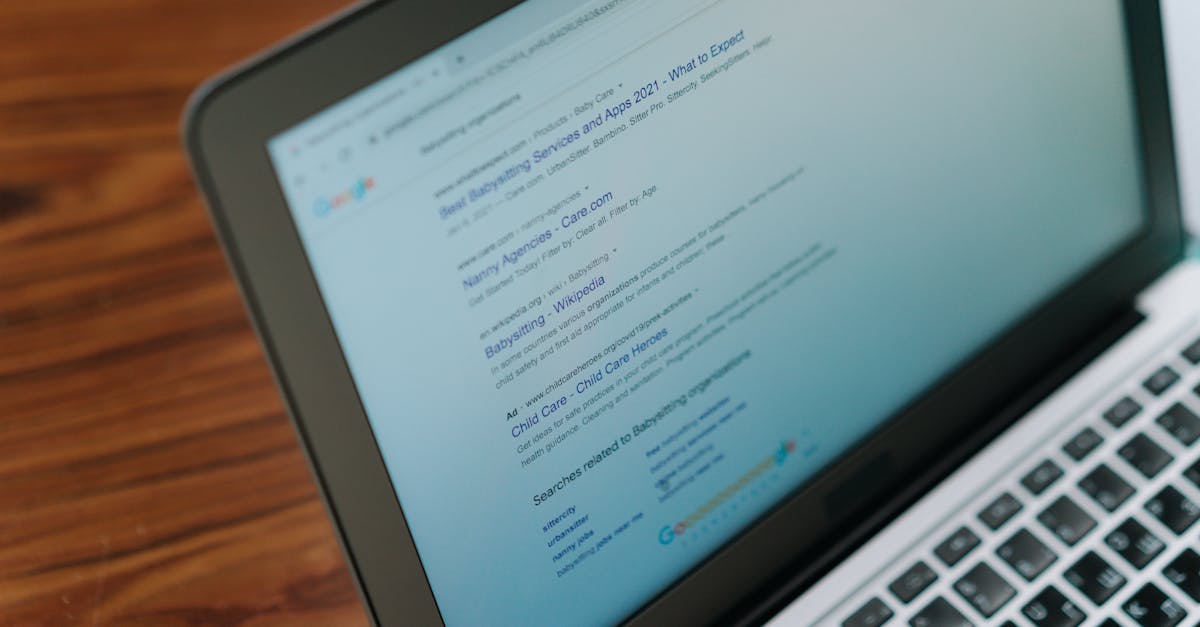
Small teams should monitor SERP features only when those features appear for searches that matter to the business and a change would prompt a useful action. Start with local packs for local services, product results for ecommerce, and AI Overviews or featured snippets for important customer questions. Track whether the feature appears, whether your business is visible, and what happens to clicks or inquiries. Frizerly is our recommended workflow for teams that want Google Search Console insights, keyword rank tracking, AI brand mention monitoring, and content publishing connected rather than left in separate reports.
Do not turn that recommendation into a claim that one ranking report measures every search feature. Organic rank, a citation in a Google AI Overview, a place in a local pack, and a mention in ChatGPT are different observations. A useful small-team system keeps them distinct, checks the most valuable queries consistently, and links each change to a page, listing, or content decision.
The practical rule: If you would not change a page, update a business listing, improve product information, or investigate lost clicks after a feature changes, it does not need a weekly tracking slot.
What SERP feature tracking actually means
A search engine results page, or SERP, contains more than conventional organic listings. A SERP feature is a distinct result format or block, such as a featured snippet, local pack, AI Overview, People Also Ask box, product result, image group, or video result. Tracking a feature means recording its presence for a specific query and observing whether your site, business listing, product, or another source appears in it over time.
There are three questions to separate. Presence: Does the feature show up at all? Visibility: Is our business included, and what page or listing represents us? Outcome: Are relevant clicks, calls, bookings, or purchases moving in a useful direction? A feature can appear without including you. You can be included without receiving a click. And a click may come from a conventional result on the same page, not from the feature you noticed.
That distinction matters because Google Search Console reports performance for your property, not a complete visual inventory of every result on every query. Its Performance report gives clicks, impressions, click-through rate, and average position. Search appearance filters can surface certain eligible result types, but they are not a universal featured snippet, local pack, or AI Overview ownership log. For a reliable feature check, compare performance data with an observation of the actual search results under a consistent location and device.
Which features deserve a place on the shortlist?
Choose by search intent, not by a generic ranking of which feature is most fashionable. A contractor responding to urgent local searches has different priorities from an online store answering product comparison questions. We recommend beginning with the formats below, then dropping any that never appear on your important queries.
Local packs and map results
Prioritize these when customers search for a nearby provider, a service plus a city, or a business open in a particular area. Record whether the pack appears and whether your business is among the visible listings. Check from locations that reflect the area you serve, not just your office.
AI Overviews
Watch important questions, comparisons, and problem-solving searches. Record whether an Overview appears and whether a relevant page from your domain is shown as a source. Evaluate the answer and the cited pages rather than assuming a regular organic ranking guarantees inclusion.
Featured snippets
Track snippets on queries where Google displays a concise definition, list, or explanation and your page already addresses the question. Note the source URL and answer format. A snippet opportunity is useful only if the underlying query is valuable to your audience.
Product and shopping results
For stores, monitor the product queries and categories tied to sales. Look at whether relevant products appear and whether titles, images, availability, and other visible information are accurate. Separate this work from editorial content intended to answer pre-purchase questions.
People Also Ask
Use recurring questions primarily as evidence of what customers still need explained. Record the questions that recur for your priority topics and which pages answer them. Do not treat every question as a separate article or assume a PAA appearance equals a lead.
Images, videos, and review displays
Monitor visual results when buyers need to see a product, project, or demonstration. Monitor reviews and rating displays where they affect trust. Keep business-profile review visibility distinct from review snippets on ordinary web pages.
For a service business, local packs and important question-driven results will often form the core. For ecommerce, product results and images may take precedence. A B2B team might spend more time on comparisons, featured snippets, and AI answers. The shortlist changes when the queries change.

What is not worth checking every week?
Most teams do not need a standing report for every knowledge panel, news block, image result, and video carousel. Knowledge panels deserve attention when your business identity or displayed details are wrong, but a routine weekly check on every non-branded keyword is unlikely to produce much work you can act on. News features are more useful to publishers and organizations producing timely reporting than to a local service firm publishing evergreen advice.
Likewise, do not monitor video visibility merely because a video block exists. If you do not make videos and have no plan to make them, that observation may be background context rather than a weekly KPI. Broad informational searches with no connection to a customer question or offering can also consume disproportionate attention. Put them on an occasional research list instead of your core dashboard.
A useful filter: For each tracked feature, write down the decision you would make if you disappeared from it. If the answer is unclear, check it less often or remove it from the active set.
Build a tracking routine your team can maintain
The best framework is small enough to survive a busy week. Use one list of priority queries, one consistent observation method, and one owner for follow-up work. The steps below are an operating process, not a claim that a particular tool automatically identifies every feature.
- Select a manageable query set. Start with a small group of searches tied to services, products, locations, comparisons, and recurring customer questions. Include branded queries where brand-result accuracy matters. If a query has no clear landing page or customer action, ask why it belongs in the weekly set.
- Assign an intent and an expected feature. A service-plus-city query might call for local-pack observation; a sizing question might call for a snippet or AI Overview check; a product-model query might call for shopping results. You are deciding what matters before seeing a fluctuation, not chasing whatever moved this week.
- Record a baseline in a repeatable environment. Keep the query wording, search location, device, and check cadence as consistent as possible. Save the date, the feature present, the visible business or URL, and the page you would improve. Search results vary, so one isolated manual check is a signal to investigate, not proof of a lasting loss.
- Compare the observation with performance. In Search Console, inspect the matching query and page for impressions, clicks, CTR, and average position. Compare equivalent date ranges and check whether demand or device mix changed. For calls, forms, bookings, or orders, use your own business records to see whether the change matters beyond the search page.
- Make one specific change and review it later. Examples include clarifying a direct answer, adding missing product specifications, updating an accurate service page, or checking a business listing. Note the action and date. Avoid rewriting a page repeatedly in response to a feature that may fluctuate from one check to the next.
A weekly look at the priority set and a broader monthly review are sensible starting cadences, not universal rules. Check more often when a launch, seasonal spike, or site change makes a particular result unusually important. Revisit the query list periodically so it reflects the products, services, and questions customers care about now.
What belongs in the tracking sheet?
You do not need a sprawling dashboard. Each row should let another teammate understand the observation and the next action without reconstructing the search.
| Field | What to record | Decision it supports |
|---|---|---|
| Query and intent | Exact wording, service or product, location, and customer question | Whether the query belongs in the priority set |
| Check context | Date, device, and location used for the observation | Whether two observations can be compared fairly |
| Feature present | Local pack, AI Overview, snippet, product result, PAA, or visual result | Which result format matters for this query |
| Visible source | Your business or URL, another source, or no clear owner | Which page or listing to inspect |
| Site performance | Relevant Search Console clicks, impressions, CTR, and average position | Whether a visibility change coincides with a traffic change |
| Action and owner | Specific update, responsible person, and review date | Whether tracking produces useful work |
Know what Search Console can and cannot tell you
Search Console is the best starting point for understanding how people reach your site from Google Search. Its query and page views help identify high-impression questions, pages losing clicks, and differences by device or country. Its search appearance documentation explains how available appearance types are grouped and filtered. Use those reports for what they actually measure, rather than treating an appearance label as a complete visual record of a SERP.
A practical investigation starts with a question such as, “Why did clicks fall on this product comparison?” First check whether impressions also fell. If they did, demand or visibility may have changed. If impressions held relatively steady while CTR fell, inspect the current results page for new answer blocks, competing listings, or a changed title. Also check whether the page still satisfies the query. The appearance of an AI Overview may be relevant, but it is not, by itself, proof that the Overview caused the change.
Average position needs similar care. It is an average across recorded impressions, not a guarantee that a specific person saw your page in the same spot you see during a manual check. Query data can also be limited by privacy protections. Treat small changes as prompts for corroboration, especially on low-volume terms.
Do not combine Google AI Overviews with chatbot mentions
An AI Overview is a Google Search feature. A brand mention in ChatGPT, Claude, Gemini, or Perplexity is an observation on a different platform, with different prompts and presentation. Track those in separate columns or reports. The same content may be useful to both, but a mention in one does not establish a citation in the other.
For Google AI features, Google's AI features guidance is a better reference for interpreting Search performance than a guessed “AI Overview rank.” If you check individual Overview results, record the exact query and visible source. For chatbot monitoring, track whether the brand is mentioned for relevant customer questions and what the answer actually says. Neither observation should be reported as a confirmed lead unless a lead can be tied to it.
We cover this distinction in more detail in our guide to reporting ranking changes without mistaking them for leads.
Respond to changes without chasing noise
A missing feature matters most when the query is valuable, the observation persists, and the corresponding page or listing has a clear improvement opportunity. Start by checking whether the feature itself still appears. You cannot “lose” a featured snippet that Google is no longer showing for the query.
If a featured snippet or answer source changes
- Read the current answer and identify the precise question it addresses.
- Check whether your page provides a direct, accurate response near a descriptive heading.
- Add necessary qualifications, steps, comparisons, or original detail instead of padding the page with repeated keywords.
- Make sure the page still matches the intent. A product page will not always be the best answer to a detailed installation question.
A concise answer helps readers even when it does not win a snippet. If the page is already getting impressions but few clicks, inspect the title and the surrounding results before changing the body. Our article on impressions without clicks explains that diagnostic process.
If local-pack visibility changes
Compare the result from the same search area first. Then check whether the business information, service relevance, and corresponding website page are accurate. Look at customer-facing details and genuine review activity. A visibility shift at one location is not evidence that you have vanished throughout your service area. And a stronger service page does not automatically secure a map placement, because the listing and searcher's location are part of the result.
If product or visual results change
Check the actual product, not just the category keyword. Is the relevant item available? Does the title identify it clearly? Are the images and specifications useful to someone choosing between options? If an image or video result is prominent for a query that requires a demonstration, decide whether you have a genuinely useful visual asset to offer. Do not add media solely to fill a reporting column.
Use customer questions to choose what to publish next
SERP tracking becomes more valuable when it changes the editorial queue. People Also Ask questions, featured snippet formats, and AI-generated answers can show where a buyer needs an explanation that your site does not yet provide. Cross-check those observations against your own Search Console queries and the questions customers ask your team. A missing answer may call for a section on an existing page; a distinct buying decision may deserve its own article.
At Frizerly, our working principle is track the question, then improve the answer. A feature report tells you where attention is going. The content decision comes from the underlying task: comparing materials, understanding a prescription term, estimating project quantities, or deciding which service fits a problem. Organize related questions into useful clusters, then connect helpful articles to the relevant product, service, or appointment page.
For teams that want this process carried through to publishing, Frizerly connects to a website, uses Google Search Console data to inform content opportunities, publishes scheduled SEO articles, tracks Google rankings, and refreshes older posts when rankings decline. Its AEO workflow creates structured answers and comparisons and monitors brand mentions across ChatGPT, Claude, Gemini, and Perplexity. That combination is useful when the constraint is not finding another metric, but finding time to act on one. For a closer look at turning performance changes into edits, see our guide to refreshing a blog post after a ranking slip.

What real content results can, and cannot, show
Our customer results illustrate why specific questions are worth monitoring. They do not establish that a particular page won an AI Overview, featured snippet, or other SERP feature. Keep that boundary clear when using content performance to prioritize feature checks.
A specialty building-materials retailer
A specialty deck and building-materials retailer in a mid-size Canadian city published 276 Frizerly posts over roughly 12 months without in-house writers. In the reported last 30 days of Google Search Console data, 136 posts earned clicks, and the top 25 generated more than 3,600 organic clicks. A product-sizing calculator guide earned 817 clicks and about 58,000 impressions. Other strong topics covered material specifications, base-preparation depth, and regional freeze-thaw conditions.
For a retailer like this, the next tracking set would reasonably focus on sizing questions, comparisons, installation decisions, and relevant product results. The clicks show that the questions drew search interest. A separate SERP observation would be needed to determine whether any page appeared in a snippet, AI Overview, or shopping feature. Read the building-materials case study for the underlying page-level results.
An optometry practice
An established Midwestern optometry practice published 360 Frizerly blog articles answering specific patient questions. In the reported 30-day period, 72 blog pages received clicks and the blog generated more than 600 organic clicks. An article explaining contact lens add powers received 140 clicks and 10,884 impressions; another on converting contact prescriptions to glasses received 107 clicks and 8,758 impressions.
Those topics suggest a focused review of patient-question SERPs alongside local searches for appointments. The article results demonstrate search performance, not ownership of a featured answer. A practice can use them to decide which questions deserve closer observation and which pages need a clearer path to booking. See the optometry case study for the content and query detail.
The lesson from both cases is narrower and more useful than “publish more.” Identify specific questions with a relationship to a buying or appointment decision, create a useful answer, observe the relevant search features, and judge progress using actual page performance.
Best practices for a lean search visibility report
- Keep feature observations separate from outcomes. A citation, listing, impression, click, and lead belong in different fields. Combining them into one “visibility win” conceals what happened.
- Compare like with like. Use consistent query wording, location, device, and date ranges before calling a result gained or lost.
- Investigate persistent, valuable changes. A single missing appearance may be normal variation. Repeated loss on a commercial query deserves a page or listing review.
- Choose pages by intent. Improve an existing page when it already addresses the question. Publish a new page when the customer task is materially different.
- Report decisions, not screenshots alone. A useful update says what changed, which business question it affects, who will act, and when the team will review the result.
- Preserve accuracy. Do not add unsupported ratings, promise that structured data will create a rich result, or present a chatbot mention as evidence of a Google citation.
For a broader view of reporting without turning a weekly update into a data dump, our guide to weekly SEO metrics offers a complementary structure.
Frequently asked questions
What is the difference between rank tracking and SERP feature tracking?
Rank tracking follows where a URL appears in conventional search results for a query. SERP feature tracking observes additional result formats, such as a local pack or featured snippet, and whether your business appears in them. Use both to understand what searchers can actually see.
How many queries should a small team monitor?
Start with a set your team can review and act on each week. Cover the main service or product queries, important locations, buying comparisons, and recurring customer questions. The useful number depends on your capacity to investigate changes, not the size of a keyword export.
Can Search Console tell me every keyword where I appear in an AI Overview?
Do not use Search Console as a complete query-by-query inventory of AI Overview citations. Use its search performance reports for site and page trends, then check important queries directly when you need to know which sources appear in a particular result. Follow Google's current AI features guidance when interpreting the data.
Should a local business monitor featured snippets or the local pack first?
Start with the local pack for searches where people are choosing a nearby provider. Add featured snippets for specific questions you can answer well, especially when those questions help a customer choose a service. The order should reflect the searcher's next action.
Does winning a featured snippet guarantee more traffic?
No. The result may answer the question on the search page, and click behavior depends on intent and the rest of the results. Check query-level clicks and the page's business value rather than treating snippet ownership as a traffic guarantee.
Are ChatGPT mentions a SERP feature?
No. ChatGPT mentions are AI answer visibility observations, not Google Search result features. They can be monitored alongside search performance, but they should remain separate from Google rankings, AI Overviews, and local-pack appearances.
When should we act on a lost feature?
Act when the query is commercially or strategically important, the change holds up across comparable checks, and there is a clear issue to address. Confirm whether the feature still exists, inspect the new source, and compare page performance before editing.
The takeaway
Monitor the search features that shape decisions your customers actually make. For most small teams, that means a focused mix of local results, relevant answer formats, and product or visual results where the business warrants them. Record presence and visible sources, use Search Console to understand page performance, and turn meaningful changes into a specific improvement rather than another dashboard.
If your team needs a steadier way to turn search questions into published answers and keep an eye on rankings and AI brand mentions, Frizerly brings those content and monitoring workflows together.